
TradingView API in 2026: What’s Available and How to Use It

TradingView does not offer a public data API for retrieving prices, indicator values, or historical bars. It does offer three other APIs that serve specific developer use cases, plus webhook alerts and Pine Script for the kind of automation most retail traders are actually looking for. This guide covers what exists, what does not, what it costs, and the working alternatives in 2026.
If you are new to the platform itself, start with the TradingView tutorial before working through the API question.
Key Takeaways
- TradingView does not offer a public data API. The three APIs it does have (Charting Library, Datafeed, Broker REST) serve developers building chart UIs and brokerages integrating with TradingView, not retail traders pulling prices.
- For most retail use cases, the practical answer is webhook alerts plus Pine Script. That covers automated entries and exits, custom indicators, and signal routing to brokers through bridges like TradersPost or PickMyTrade.
- If you need raw market data, go to a data provider directly (polygon.io, Alpha Vantage, Yahoo Finance, Tiingo, EODHD). If you need TradingView’s chart UI, license the Charting Library and pipe data through the Datafeed API.
Recommended Tool
Financial Tech Wiz Trading Journal
If you trade off Pine Script signals or webhook alerts, automatic broker import via SnapTrade pulls every fill into one journal so you can tag trades by strategy and see win rate, P&L, and average hold by tag. Starting at $9.91/month billed annually.
Try It FreeDoes TradingView Have an API? (Quick Answer)
TradingView does not offer a public data API for retrieving prices, indicator values, or historical bars. That is the answer most readers landing on this page are looking for, and it has not changed in years. There is no API key you can request that will let you query TradingView’s market data the way you would query polygon.io or Alpha Vantage.
What TradingView does offer is three developer APIs aimed at specific integration partners: the Charting Library API (a free self-hosted JavaScript charting library you plug your own data into), the Datafeed API (the integration spec brokers and data providers use to connect their feeds to TradingView), and the Broker REST API (the spec brokers use to get their order routing supported on TradingView’s platform). None of these gives a retail developer programmatic access to TradingView’s market data, which is what most readers are actually asking about.
The Three TradingView APIs Explained
Charting Library (Advanced Charts)
The Charting Library, sometimes called Advanced Charts, is a free self-hosted JavaScript library that lets you embed institutional-grade TradingView charts inside your own web application. It is the same charting engine TradingView ships in its own product, packaged for use on third-party sites. Brokerages, analytics platforms, and financial data sites use it to give their users the TradingView look and feel without sending traffic away.
The library is free, but you have to apply for it. TradingView reviews each application and grants access on a case-by-case basis. Once approved, you get the JavaScript bundle and a permission to host it on your own domain. The library renders the charts; you supply the data via the Datafeed API. There is no ongoing licensing fee for the library itself, but you do need a market data agreement (with an exchange or vendor) to legally pipe real-time prices through it.
Datafeed API
The Datafeed API is the JavaScript interface the Charting Library reads from. It is not a remote service you call. It is a spec your front-end code implements so the chart can ask for symbols, bars, and updates. The required methods include resolveSymbol, getBars, subscribeBars, and searchSymbols, and the spec is well documented in TradingView’s official Charting Library Docs.
What you connect through the Datafeed API is up to you. You can pipe in your own database of historical bars, hit a third-party API like polygon.io or Tiingo for quotes, or stream broker fills if you are an integrator. The Datafeed API has no fee because there is nothing to bill for: TradingView ships the library and the spec, you bring everything else.
Broker REST API
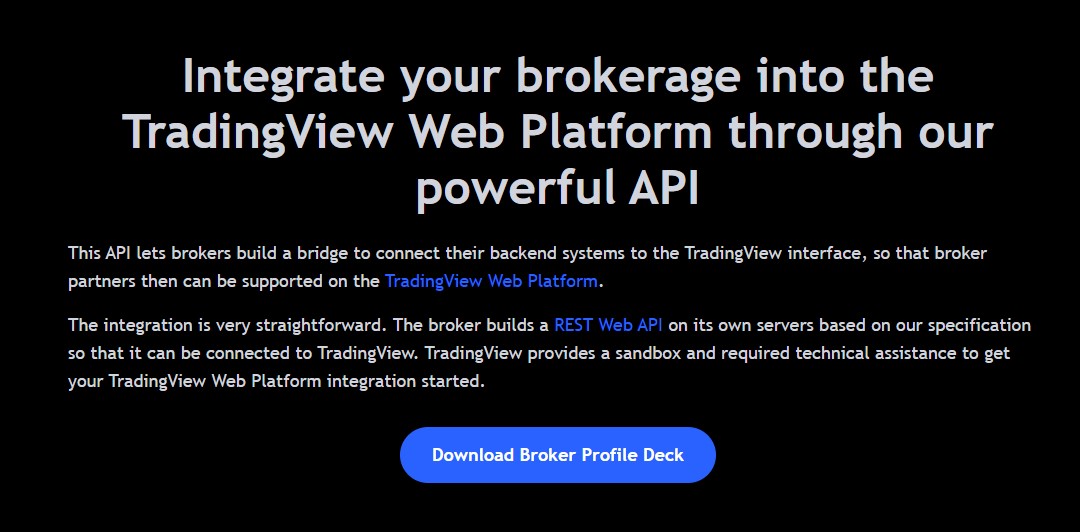
The Broker REST API is a different beast. It is the integration spec brokers implement to get supported as native trading inside TradingView’s platform. When you click the “Trade” button on a TradingView chart and route an order to your broker, the broker is responding to calls defined in this spec.
The Broker REST API uses OAuth 2.0 or JWT authentication and exposes REST endpoints for symbols, quotes, orders, positions, balances, and account settings. It is intended for brokerages applying to TradingView’s broker integration program, not for retail users. There is no consumer-facing version. Brokers that pass the integration are listed in the best brokers for TradingView roundup. One of the most-requested broker setups is Interactive Brokers with TradingView, covered in the full comparison.
Why TradingView Does Not Offer a Public Data API
Two reasons. First, TradingView is a data licensee, not a data owner. Real-time prices, fundamentals, news, and reference data come from exchanges, vendors, and rights holders that license their feeds to TradingView under terms that restrict redistribution. A public data API would mean renegotiating those licenses across dozens of vendors, often at much higher rates, because the redistribution use case is priced very differently from the display-to-end-user use case TradingView already pays for.
Second, TradingView’s business model is the platform, not the feed. Selling programmatic data access to retail developers would cannibalize the subscription tiers that already include API-like capabilities through Pine Script and webhook alerts. The product strategy points users toward “do your work inside TradingView, then send signals out via webhooks,” not “leave TradingView and consume our data elsewhere.”
What It Costs to Use the APIs That Do Exist
The Charting Library is free to use after you apply and get approved. There is no licensing fee for the library code itself. You will need a market data agreement with an exchange or vendor if you want to pipe real-time prices through it, but that is a separate cost paid to the data provider, not to TradingView.
The Datafeed API has no fee. It is a spec your code implements and the cost lives in your engineering hours, not in a TradingView invoice.
The Broker REST API has no developer fee for retail traders because it is not exposed to retail traders. The brokerages that integrate with it pay TradingView through the broker integration agreement, and those terms are private. There is no separate “TradingView API plan” pricing because there is no consumer data API to price.
Webhooks: The Practical Automation Path for Most Traders
This is the section most readers searching “TradingView API” are actually looking for without realizing it. If your goal is “I want to automate something based on what is on my TradingView chart,” webhook alerts are the answer, not an API.
The flow is straightforward. You write a Pine Script (or use a built-in indicator) that defines an alert condition. You create an alert in TradingView and paste a webhook URL into the alert configuration. When the alert fires, TradingView sends an HTTP POST to that URL with a JSON payload containing whatever variables you chose to include (symbol, side, price, time, custom fields). Your server, or a bridge service, receives the payload and routes it to a broker.
Webhook alerts are included in the TradingView Essential plan and above. The Free plan does not include them. The account also needs two-factor authentication enabled before TradingView will save webhook URLs on alerts.
Most retail traders do not host their own webhook receiver. They use a bridge service that translates the alert payload into a broker order. The common ones are TradersPost (futures, options, equities, crypto), PickMyTrade (futures and options), and PineConnector (forex, futures, equities). Each has its own payload format and broker support list.
See how to set up alerts on TradingView for the full walkthrough including the JSON payload shape and 2FA requirement.
Pine Script: TradingView’s In-Platform Programming Layer
Pine Script is the language TradingView built for writing indicators, screeners, and strategies that run inside the platform. It is the closest thing to a programmable interface for TradingView itself. Pine Script v5 is the current standard as of 2026, with v6 in beta.
What you can do in Pine Script: write custom indicators that overlay or render below the chart, build screeners that scan a watchlist for a condition, code strategies that simulate entries and exits with backtesting and an equity curve, and define alert conditions that fire when your logic triggers.
What you cannot do in Pine Script: pull data out of TradingView. Pine Script runs server-side on TradingView’s infrastructure, has access to bars and indicator values inside the chart context, and emits visual output and alert events. It does not give you a way to harvest the data and store it elsewhere.
Combined with webhooks, Pine Script covers most of the “I want to do something programmatic with TradingView” use cases retail traders ask about. Indicators handle the visual side, strategies handle the backtest side, and Pine alerts hand off to webhooks for live execution.
Third-Party Data API Alternatives
If you need raw market data and TradingView’s chart UI is not part of the requirement, the right move is to skip TradingView entirely and go to a data provider directly. Five worth knowing.
Yahoo Finance. Free, unofficial, accessed through libraries like the yfinance Python package. Good for daily bars, fundamentals, and backtest data. Reliability fluctuates because there is no official API contract, but the price (free) makes it a common starting point for prototypes and academic work.
polygon.io. Real-time and historical US equities, options, forex, and crypto. REST and WebSocket. Paid with a free tier that has rate limits and delayed data. Strong choice if you need clean US market data with a reliable contract behind it.
Alpha Vantage. Free tier with strict rate limits, paid tiers for higher throughput. Broad market coverage including equities, forex, crypto, and economic indicators. Simple REST interface, common in tutorials.
Tiingo. Clean equities and crypto data with a hobbyist tier and a paid commercial tier. Solid documentation. A frequent recommendation for individual quants who outgrow Yahoo Finance but do not need the breadth of polygon.io.
EODHD. Broad international coverage, including European and Asian exchanges, ETFs, and fundamentals. Paid only. A good fit if your strategy needs non-US market data that the other providers do not cover well.
The framing line: if you need TradingView’s chart UI, license the Charting Library and pipe one of these data sources through the Datafeed API. If you only need data and will draw your own charts, go directly to the data provider and skip the chart layer.
How to Track Trades You Make From TradingView Signals
If you run Pine Script alerts to webhooks that route into your broker, you are generating a trade history that lives in two places: TradingView (for the signal that triggered) and your brokerage (for the actual fill, slippage, and commissions). A trading journal stitches the two together so you can evaluate whether the system is working.
The Financial Tech Wiz Trading Journal connects to your broker via SnapTrade across 36 supported brokers and pulls fills automatically. You tag each trade with the Pine Script strategy or alert that triggered it. The analytics tab then shows win rate, P&L, and average hold by symbol, time of day, asset type, and hold duration. Tags and notes are searchable and filterable in the Trades tab so you can pull up every fill from a given strategy and see how it has performed over time.
For traders with a long history that predates SnapTrade support, CSV import covers the gap. You upload your broker’s exported trade file and the journal loads the full record so the analytics include everything, not just trades from the connection date forward.
If you want to start tracking before paying, the free trading journal template for Google Sheets is the place to begin. It tracks trades, measures performance against the S&P 500, and gives you a sense of what structured journaling looks like before stepping up to the full app.
Get Your Free Trading Resources
Grab the free trading journal template plus the same tools we use to stay organized, consistent, and objective.
- Free trading journal template
- Custom indicators, watchlists, and scanners
- Access our free trading community
Enter your email below to get instant access.
No spam. Unsubscribe anytime.
Get up to $15 OFF with this exclusive offer.
Sign up using the link below to claim your discount.
Real-time data and advanced charting tools
Customizable indicators and strategies
Access to a global community of traders
TradingView API FAQ
Does TradingView have an API?
TradingView does not offer a public data API for retrieving prices or indicator values. It offers three developer APIs: the Charting Library (a free self-hosted chart library), the Datafeed API (the spec for piping data into the Charting Library), and the Broker REST API (the integration spec for brokerages applying to be supported on TradingView). None of these gives a retail developer programmatic access to TradingView’s market data.
Is the TradingView API free?
The Charting Library is free to use after you apply and get approved. The Datafeed API has no fee since you bring your own data. The Broker REST API is not consumer-priced because it is not exposed to retail traders. There is no separate paid TradingView data API plan because TradingView does not sell consumer data API access.
How much does the TradingView API cost?
There is no consumer pricing because TradingView does not sell a public data API. The third-party service at tradingviewapi.com is not affiliated with TradingView and prices its own scraped data feed separately. Webhook alerts, the closest thing to a usable automation path, are included in TradingView Essential and higher plans.
How do I get a TradingView API key?
You do not get a TradingView API key for data access because TradingView does not issue them for that purpose. You can apply for the Charting Library through a form on TradingView’s website. Brokerages applying for the Broker REST API integration go through TradingView’s broker integration program. Webhook alerts use a URL you provide, not an API key.
Can I trade directly from TradingView?
Yes, if your broker is supported through TradingView’s broker integration program. TradingView supports a long list of brokers including Interactive Brokers, OANDA, FXCM, and others. The trade button surfaces inside the TradingView chart once you connect a supported broker.
How do I get real-time data on TradingView?
Most symbols are real-time on TradingView with a paid subscription. Some symbols (US equities, futures) require an additional exchange data fee on top of the TradingView plan to unlock real-time quotes. See the TradingView real-time data guide for the current pricing.
Can I use webhooks instead of an API?
Yes, and for most retail automation use cases that is the right path. TradingView webhooks fire an HTTP POST to a URL you provide whenever an alert condition is met. Pair a webhook with a bridge service (TradersPost, PickMyTrade, PineConnector) and you can route Pine Script signals to a broker programmatically. Webhooks require Essential or higher plan and 2-factor authentication on the account.
Get Your Free Trading Resources
Grab the free trading journal template plus the same tools we use to stay organized, consistent, and objective.
- Free trading journal template
- Custom indicators, watchlists, and scanners
- Access our free trading community
Enter your email below to get instant access.
No spam. Unsubscribe anytime.







