
TradingView vs Tradovate: Which One Do Futures Traders Need in 2026?

TradingView and Tradovate are often compared, but they are not trying to solve the same problem. TradingView is a charting and analysis platform used across nearly every market. Tradovate is a futures-focused brokerage built for execution, pricing efficiency, and active traders.
This comparison breaks down how TradingView and Tradovate differ in purpose, features, pricing, and ideal use cases so you can decide which one fits your workflow. If the futures-platform side of the question is what matters most, the NinjaTrader vs Tradovate breakdown covers how Tradovate stacks up against the other major futures-focused desktop option.
Key Takeaways
- TradingView and Tradovate serve different roles: TradingView is built for charting and analysis across all markets, while Tradovate is designed specifically for futures execution and pricing.
- The integration is what most traders actually want: chart on TradingView, execute through Tradovate, and get both platforms working together without a separate integration fee.
- Tradovate is best as a futures execution layer: it is not designed for equities or long-term investing, so it works best paired with TradingView for analysis rather than as an all-in-one solution.
- Free to premium plans available
- Works across all major markets
- Best overall charting platform
- Track futures contracts, micros, and equities side by side
- Performance analytics with AI insights
- $9.91/month billed annually
TradingView and Tradovate Together: How the Integration Works
The TradingView and Tradovate integration is what most futures traders are actually asking about when they search this comparison. You are not picking one or the other in isolation; you are deciding whether to chart on TradingView and execute through Tradovate, or to do both inside Tradovate’s native interface. Here is what the integration does and how to set it up.
Inside TradingView, open any chart and click the broker panel at the bottom. Tradovate appears in the broker dropdown next to brokers like Interactive Brokers, OANDA, and Tradier. Click connect, log in with your Tradovate credentials, and accept the data terms. Once connected, TradingView shows your Tradovate balances, open positions, working orders, and trade history alongside the chart. You can place market, limit, stop, and stop-limit orders directly from the chart by right-clicking a price level or dragging an order line.
Order routing is real time. The order leaves TradingView, hits Tradovate’s matching engine, and the fill comes back to the chart in under a second on a normal connection. Real-time CME data flows through your Tradovate funded account, so you do not need to pay TradingView’s exchange data subscription separately if your only futures market is CME.
What the integration does not do: it does not import your trade history into a long-term performance log. TradingView shows the trades on the chart while you are looking at them; Tradovate stores the order history inside the Tradovate platform. Neither side calculates win rate by hold duration, P&L by symbol, drawdown over time, or benchmark-relative performance. That is where a dedicated journal earns its place. The Financial Tech Wiz Trading Journal pulls Tradovate trade history through SnapTrade and gives you all of that in one view. If you are not ready for a paid app, the free trading journal template for Google Sheets is a no-cost starting point you can populate with Tradovate trade exports.
Get Your Free Trading Resources
Grab the free trading journal template plus the same tools we use to stay organized, consistent, and objective.
- Free trading journal template
- Custom indicators, watchlists, and scanners
- Access our free trading community
Enter your email below to get instant access.
No spam. Unsubscribe anytime.
TradingView Overview
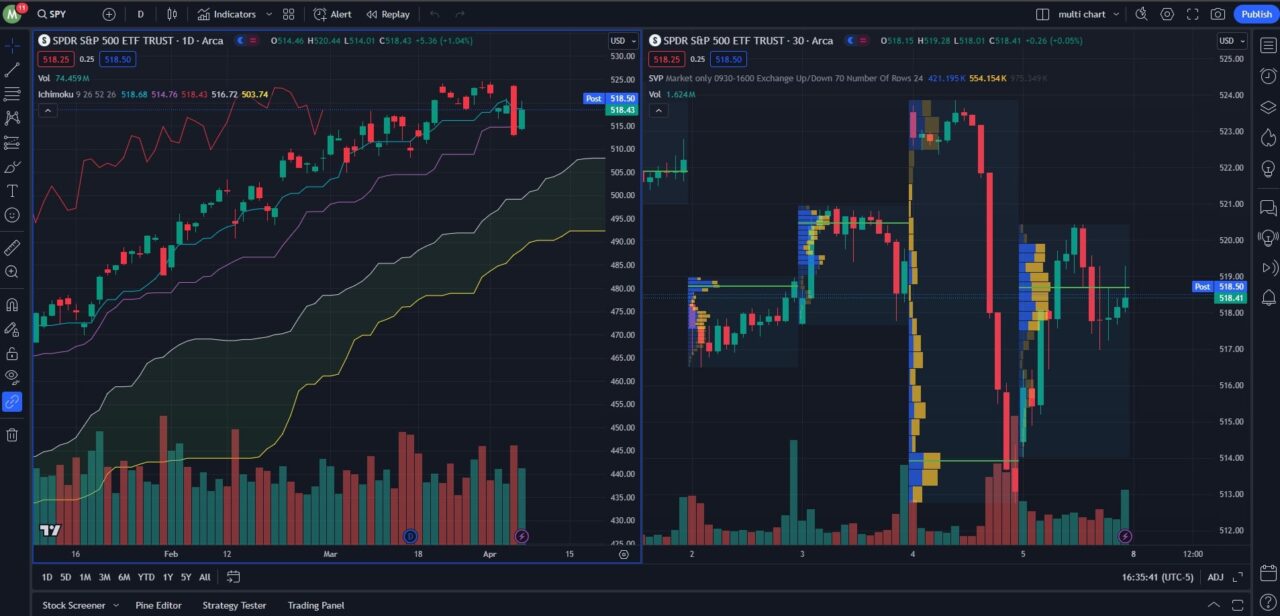
TradingView is a web-based charting and social platform used by millions of traders worldwide. It supports advanced technical analysis, custom indicators, strategy backtesting, and community-built scripts through its proprietary Pine Script language.
Based on extensive hands-on use across nearly every major trading platform, TradingView stands out as the best all-around charting solution currently available. It combines powerful tools with a clean interface and works across virtually every market.
Key Strengths
- Free to premium pricing ranging from basic to professional
- Integrates with many brokers for direct trading
- Best free charting platform on the market
Who TradingView Is Best For
TradingView is ideal for traders and investors who want premium charting, powerful screeners, heatmaps, and economic calendars in one place. You can analyze stocks, ETFs, crypto, forex, and futures from a single platform and connect a supported broker to place trades directly from the charts.
Tradovate Overview
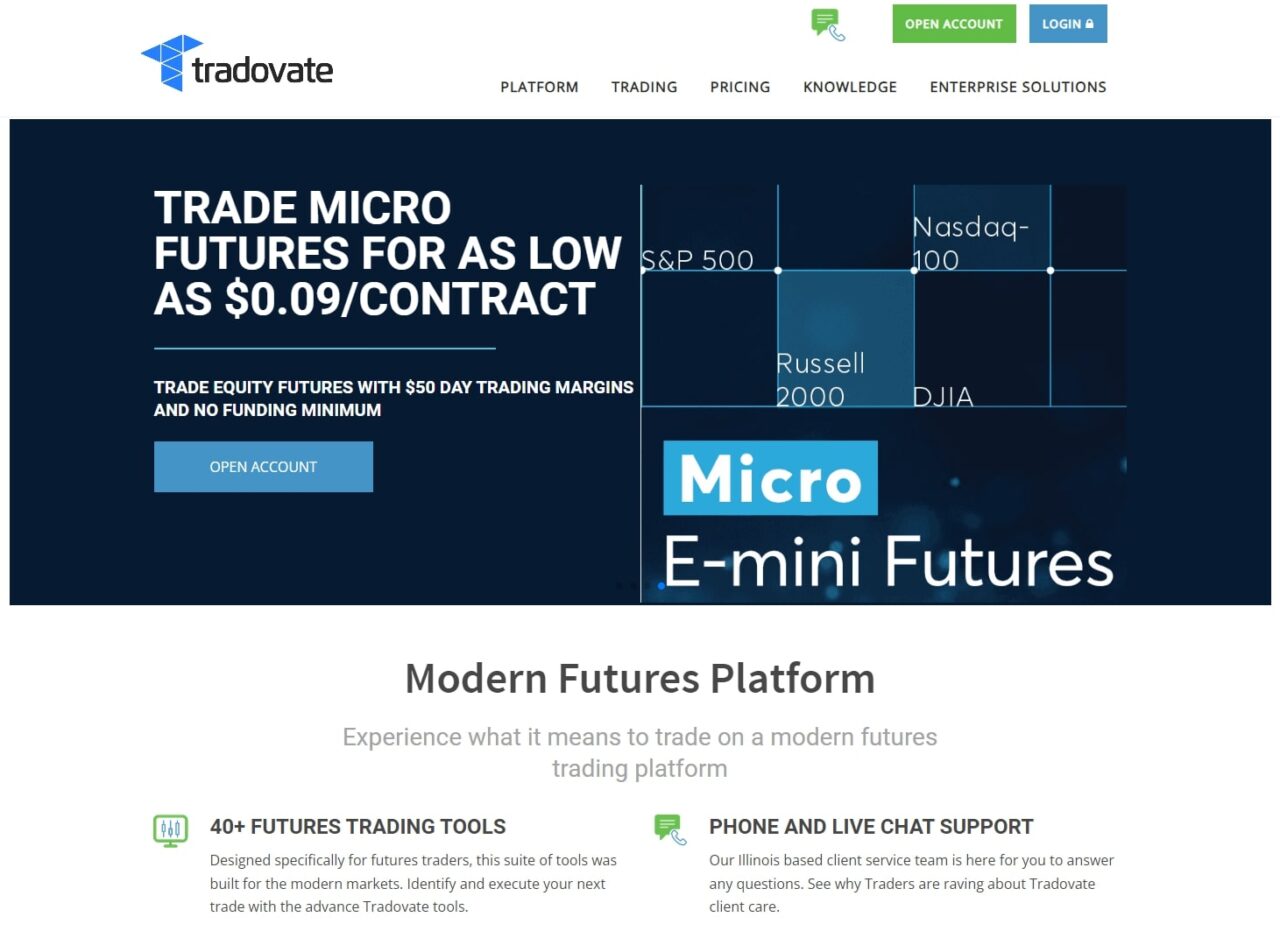
Tradovate is a futures brokerage platform designed specifically for active traders. It offers competitive commissions and the ability to reduce costs further through monthly or lifetime pricing plans.
Traders can access micro futures contracts, making it possible to trade futures with relatively low capital. Tradovate also integrates directly with TradingView, allowing traders to combine professional charting with futures execution.
Key Strengths
- Low-cost futures commissions across three pricing tiers
- Direct TradingView integration for chart-based order entry
- Built-in volume profile and market profile tools
Who Tradovate Is Best For
Tradovate is best for traders who focus primarily on futures and trade frequently enough to benefit from reduced commission plans. It is not designed for equities or long-term investing, so it works best as a specialized futures platform rather than an all-in-one solution.
Key Differences Between TradingView and Tradovate
Platform Capabilities
| Feature | TradingView | Tradovate |
|---|---|---|
| Platform Type | Charting and analysis software | Futures brokerage |
| Broker Included | No | Yes |
| Tradable Markets | Stocks, ETFs, futures, crypto, forex | Futures, futures options, forex |
| Charting | Web, desktop, and mobile apps | Charting with volume and market profile |
| Market Data | Free real-time data when available, paid exchange data optional | Real-time data with funded account |
| Premium Pricing | $14.95 to $119.95 per month | $99 per month or $1,499 one-time for reduced commissions |
Trading Tools and Account Features
| Feature | TradingView | Tradovate |
|---|---|---|
| DRIP | Not applicable | Not available |
| Margin Trading | Broker dependent | Yes |
| Insurance | Broker dependent | Not insured |
| Mobile App | Yes | Yes |
Trading Costs and Commissions
| Fee Type | TradingView | Tradovate |
|---|---|---|
| Stock Trades | Not a broker | Not supported |
| Options | Not a broker | Not supported |
| Futures | Not a broker | $1.29 per contract (standard), $0.39 micro |
| Futures Options | Not a broker | Typically same as futures |
| Option Exercise Fees | Not a broker | None |
Pricing in 2026: TradingView Plans vs Tradovate Commission Tiers
TradingView pricing in 2026 runs across four tiers: Essential ($14.95/month), Plus ($34.95/month), Premium ($69.95/month), and Ultimate ($239.95/month). Each step up adds more saved layouts, more indicators per chart, more alerts, and at the Premium level, extended hours data and multi-monitor support. Real-time exchange data for non-CME markets is a separate add-on unless your connected broker supplies it.
Tradovate’s pricing structure has three paths. The free plan (no monthly fee) charges $1.29 per contract per side for standard futures and $0.39 per micro. The monthly plan ($99/month) drops the per-contract rate to $0.99 standard and $0.29 micro. The lifetime plan ($1,499 one-time, or four installments of $499) gives the lowest commission tier at $0.59 standard and $0.09 per micro contract. For a high-volume futures trader the monthly plan pays for itself within the month; for a casual or part-time trader the free plan avoids the fixed overhead.
What the integration costs together: the TradingView tier you choose plus the Tradovate commission rate you qualify for, with no additional integration or connection fee. There is no markup for routing orders from TradingView into Tradovate’s matching engine.
Who Should Use Which (Decision Framework)
Choose TradingView only if you trade across multiple asset classes (stocks, crypto, forex, futures), need the deepest charting toolkit, and want to test broker connections without committing to one platform. The Tradovate connection is one of many; you can swap it later for Interactive Brokers, OANDA, or any other supported broker.
Choose Tradovate only if you trade futures exclusively, want to skip TradingView’s monthly subscription, and prefer Tradovate’s native interface for both analysis and execution. Tradovate’s charting is sufficient for most discretionary futures setups even without TradingView on top.
Choose both together (the most common path for serious futures traders) if you want professional charting paired with Tradovate’s commission structure and CFTC-regulated futures execution. Run TradingView for analysis and use the broker panel to send orders. Layer the Financial Tech Wiz Trading Journal on top via SnapTrade so your futures trade history has a permanent home for win rate, drawdown, and benchmark-relative performance tracking.
Frequently Asked Questions
Is Tradovate a broker?
Yes. Tradovate is a CFTC-regulated and NFA-member futures brokerage, not a charting platform. You can fund a Tradovate account and execute futures trades directly through their web, desktop, or mobile interface, or through any broker integration like the TradingView broker panel. TradingView, by contrast, is not a broker and cannot hold customer funds.
Is Tradovate free?
Tradovate’s account itself is free to open with no monthly minimum, but you pay commissions per contract on every trade. They also offer optional commission plans (monthly or lifetime) that reduce your per-contract rate if you trade enough volume to make the math work. Pay-as-you-go is cheaper for low-volume traders; the commission plan is cheaper for high-volume futures traders.
Does Tradovate work with TradingView?
Yes. Tradovate is one of the brokers natively supported in TradingView’s broker panel. Open a TradingView chart, click the broker dropdown, select Tradovate, and log in with your Tradovate credentials. Once connected, you can place orders from any TradingView chart and see your Tradovate balances, positions, and order history alongside the chart.
Is Tradovate good for prop firm trading?
Tradovate is one of the most common execution platforms across futures-focused prop firms. Many prop evaluations explicitly run on Tradovate, often with a Tradovate Prop layer that adds prop-specific account controls. If you are passing a futures challenge, Tradovate is usually the platform you will be required to use; if you are choosing a prop firm, confirm Tradovate compatibility before signing up.
Can I use a separate trading journal with Tradovate?
Yes, and most serious futures traders do. Tradovate stores order history inside the Tradovate platform but does not calculate performance analytics like win rate by hold duration, P&L by symbol, drawdown over time, or benchmark-relative returns. A dedicated journal like the Financial Tech Wiz Trading Journal pulls your Tradovate trade history through SnapTrade and gives you all of that in one view alongside any other accounts you trade.
Related Trading Platform Comparisons
If you are weighing Tradovate against another futures-friendly broker, TradeStation vs Tradovate covers the same decision with an equities-friendly alternative in the mix.
If you need a single broker for both equities and futures, Interactive Brokers vs Tradovate walks through that trade-off in detail.
Get Your Free Trading Resources
Grab the free trading journal template plus the same tools we use to stay organized, consistent, and objective.
- Free trading journal template
- Custom indicators, watchlists, and scanners
- Access our free trading community
Enter your email below to get instant access.
No spam. Unsubscribe anytime.







