
Schwab vs. thinkorswim (2026): Which Platform Is Better?

Schwab and thinkorswim are two different trading platforms that live inside the same Charles Schwab account. A single Schwab login unlocks both at zero extra cost, which means the real question is not “which broker,” it is “which of the two interfaces should you use for which job.” This 2026 breakdown covers ownership, mobile apps, desktop versus web, costs, and how to decide between them.
Key Takeaways
- Same-account access: one Schwab login unlocks both Schwab.com and thinkorswim at zero extra cost.
- Different jobs: Schwab web and Schwab Mobile are built for buy-and-hold investing and account management; thinkorswim is built for active options, futures, and technical traders.
- Ownership in 2026: The Charles Schwab Corporation owns thinkorswim. The platform was founded in 1999 by Tom Sosnoff, acquired by TD Ameritrade in 2009, and became part of Schwab after the 2020 Schwab and TD Ameritrade merger.
- Buy-and-hold investor
- Retirement or IRA saver
- Banking + investing user
- Active options or futures trader
- Technical / thinkScript user
- Paper trader (paperMoney)
Recommended Tool
Financial Tech Wiz Trading Journal
Connect your Schwab account with a one-time SnapTrade import to normalize stocks, options, and futures fills from both Schwab.com and thinkorswim into a single performance view. Win rate, drawdown, P and L by symbol and hold duration, and AI-powered insights. Starting at $9.91/month billed annually.
Try It FreeAre Schwab and thinkorswim the Same Thing?
Schwab and thinkorswim are not two separate companies. thinkorswim is a trading platform owned and operated by The Charles Schwab Corporation, and every Schwab client can enable it from an existing account. thinkorswim was built in 1999 by Tom Sosnoff and a group of former CBOE floor traders, sold to TD Ameritrade in 2009, and moved under Schwab after Schwab acquired TD Ameritrade in October 2020. The TD Ameritrade to Schwab migration finished in 2023, and by 2025 every thinkorswim login sat inside the Schwab ecosystem. For a deeper look at how thinkorswim compares to other active-trader platforms on the market, see our thinkorswim alternatives breakdown.
| Year | Milestone |
|---|---|
| 1999 | thinkorswim founded by Tom Sosnoff and team |
| 2009 | Sold to TD Ameritrade for $606 million |
| 2020 | Schwab acquires TD Ameritrade (deal closes Oct 2020) |
| 2023 | TD Ameritrade to Schwab migration completes |
| 2025 | thinkorswim fully rebranded under Schwab |
Overview of Charles Schwab
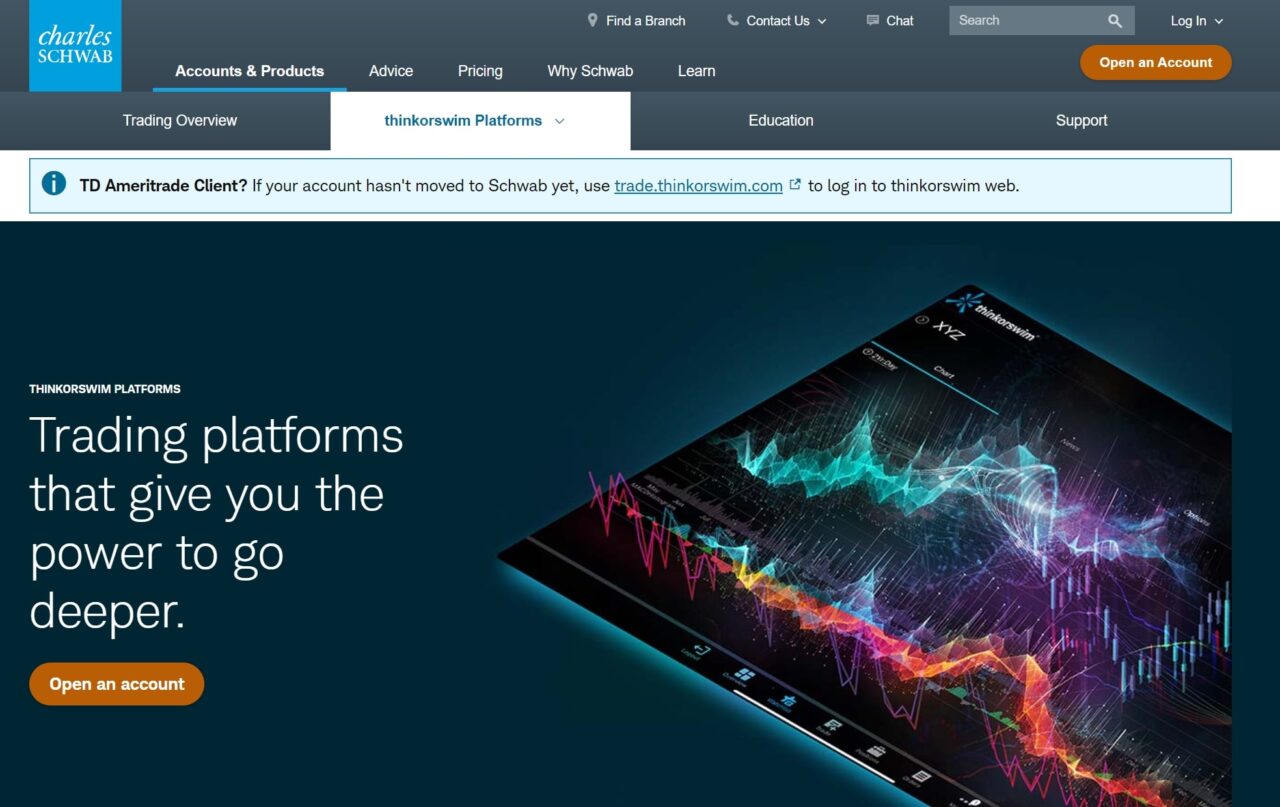
Charles Schwab is one of the largest retail brokerages in the United States, founded in 1971 and historically positioned around long-term, low-cost investing. A Schwab account gives you Schwab.com for web trading, Schwab Mobile for mobile access, and thinkorswim for active trading across desktop, web, and mobile. Post TD Ameritrade migration, thinkorswim is Schwab’s flagship active-trader platform, and the legacy StreetSmart Edge desktop app is being wound down for most new clients.
Overview of thinkorswim
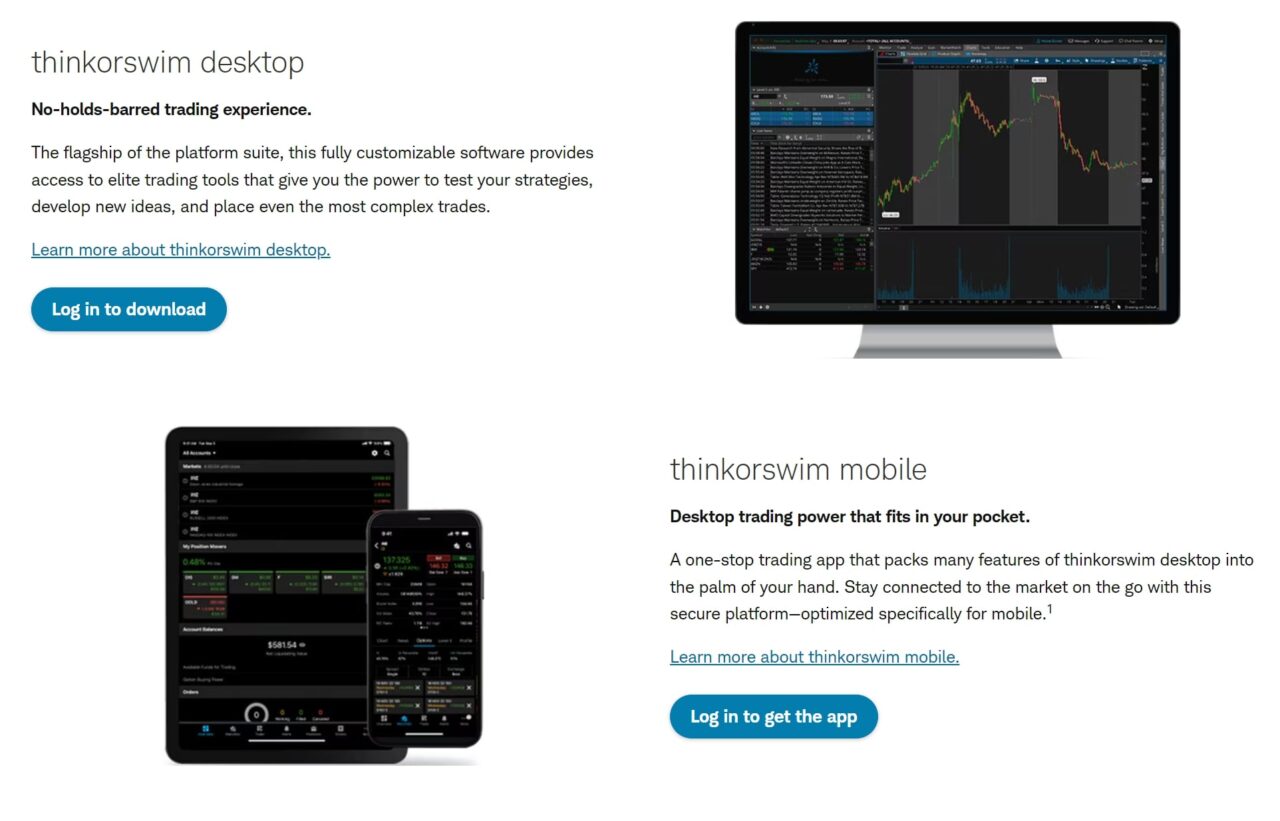
thinkorswim is the professional-grade trading platform Schwab inherited from TD Ameritrade. It ships with thinkScript, a custom scripting language that lets traders build proprietary indicators and scanners; an Analyze tab with options risk profiles and Greeks; paperMoney, a full-featured paper trading environment; OnDemand, which replays historical market conditions for discretionary backtesting; and 400+ built-in studies and drawing tools. Traders who rely on IV rank on thinkorswim, the Analyze tab, and thinkScript custom studies are the reason most active options traders still prefer thinkorswim over the default Schwab interface.
If you also want to weigh the IBKR pro execution stack against thinkorswim, see Interactive Brokers vs thinkorswim for the full side-by-side.
Schwab vs. thinkorswim: Feature-by-Feature
| Feature | Schwab Platform | thinkorswim |
|---|---|---|
| Charting depth | Basic (Schwab.com + StreetSmart Edge) | Professional-grade, highly customizable |
| Screeners and scans | Schwab Stock Screener | thinkScript, real-time scans |
| Options tools | Basic chain and Probability Calculator | Strategy Roller, Analyze tab, Risk Profile |
| Futures trading | Not supported | Integrated, with ladder and advanced orders |
| Paper trading | None | Yes (paperMoney) |
| Historical replay | None | OnDemand (market replay) |
| Custom scripting | None | thinkScript |
| Mobile app | Schwab Mobile (account + simple trades) | thinkorswim mobile (full active trading) |
| Extended-hours trading | Standard pre/post session | Standard pre/post session |
Schwab Mobile App vs thinkorswim Mobile App
The Schwab Mobile app is built around account management: check balances, deposit checks, place simple stock, ETF, and options trades, manage transfers, and view research. The thinkorswim mobile app is built around active trading: multi-leg options orders, full thinkScript charts with custom indicators, futures trading, paperMoney access, and real-time options analytics. If you only use your phone to top up a Roth or check a long-term position, Schwab Mobile is the right tool. If you need to place a vertical spread or manage an iron condor from your phone, use thinkorswim mobile. Most active Schwab clients install both: Schwab Mobile for account tasks, thinkorswim mobile for trading.
thinkorswim Desktop vs Web vs Mobile
thinkorswim ships in three flavors. thinkorswim Desktop is the full platform with thinkScript, OnDemand, the Active Trader ladder, the Analyze tab, and fully customizable multi-monitor layouts. Most power users live here. thinkorswim Web is a browser-based subset built for faster access and simpler workflows: it keeps core charting, options chains, and order entry, but drops custom thinkScript studies, OnDemand, and the deepest layout flexibility. thinkorswim Mobile is the smallest footprint of the three: lighter charts, fewer indicators, and a mobile-optimized order ticket. If you are new to thinkorswim, start on Web, then upgrade to Desktop once you need custom indicators, full analytics, or the Active Trader ladder. For a broader look at charting tools across the category, see our guide to the best charting software.
StreetSmart Edge vs thinkorswim
StreetSmart Edge was Schwab’s pre-merger active-trader desktop platform. It still exists for legacy users, but Schwab has effectively replaced it with thinkorswim for new active-trader account openings. thinkorswim has deeper charting, a more mature scripting language (thinkScript versus StreetSmart’s more limited screener), native futures and complex options workflows, and a full paper trading environment through paperMoney. If you are picking between the two today, pick thinkorswim. If you are already on StreetSmart Edge and only trade stocks or basic options, there is no urgent reason to switch, but long term thinkorswim is the platform Schwab is investing in.
Costs and Commissions
thinkorswim is free for Schwab clients. There is no platform fee, no subscription, and no activation charge. Stock and ETF trades are $0, listed options are $0.65 per contract, and futures are $2.25 per contract and side. Real-time streaming quotes are free on a funded account. There is no difference in per-trade cost between Schwab.com and thinkorswim: the routing and pricing are the same underneath.
How to Enable thinkorswim on a Schwab Account
Enabling thinkorswim from an existing Schwab login takes a few minutes:
- Log in to schwab.com with your Schwab username and password.
- Go to the Trade menu and select thinkorswim from the platform list.
- Accept the thinkorswim customer agreement. This is a one-time click for new thinkorswim users.
- Choose your version: download the desktop app for the full platform, open thinkorswim Web directly in the browser, or install thinkorswim mobile from the App Store or Google Play.
- Log in using your Schwab credentials. Your brokerage account, positions, and buying power carry over automatically.
You can switch freely between Schwab.com, Schwab Mobile, and any flavor of thinkorswim without opening a second account. Once trades flow through both platforms, connect the account to a thinkorswim trading journal with a one-time SnapTrade import to normalize stock, option, and futures fills into a single performance view.
Which Platform Is Right for You?
- Passive investor and long-term holder: Schwab.com plus Schwab Mobile. The automatic investment plan, banking integration, and simple stock and ETF interface handle everything.
- Beginner swing trader: start on thinkorswim Web. It adds the charts and technical tools you need without the desktop learning curve.
- Options trader: thinkorswim Desktop. The Analyze tab, Strategy Roller, and options-specific risk view do not exist anywhere else in the Schwab ecosystem.
- Futures trader: thinkorswim Desktop. Native futures ladders and complex order types are thinkorswim-only.
- Pure day trader or technical analyst: thinkorswim Desktop with thinkScript for custom indicators and scans.
- Still comparing brokers: read our thinkorswim alternatives rundown before you commit.
Pros and Cons Summary
Schwab Pros
- Simple recurring investing and robo-advisor
- Integrated banking and cash management
- 24/7 customer support
Schwab Cons
- Basic charting relative to thinkorswim
- No futures or complex options in the standard web or mobile app
- Limited options analytics on mobile
thinkorswim Pros
- Institutional-grade analytics and charting
- Paper trading sandbox (paperMoney) and OnDemand replay
- Custom scripting with thinkScript
- Native futures and complex multi-leg options
thinkorswim Cons
- Steeper learning curve than Schwab.com
- Resource-heavy desktop app
- Mobile app less polished than Schwab Mobile for basic tasks
Get Your Free Trading Resources
Grab the free trading journal template plus the same tools we use to stay organized, consistent, and objective.
- Free trading journal template
- Custom indicators, watchlists, and scanners
- Access our free trading community
Enter your email below to get instant access.
No spam. Unsubscribe anytime.
How to Decide
Pick by job, not by platform loyalty. List the three tools you genuinely need to place, monitor, or analyze your next ten trades. If those tools are a buy button, a dividend calendar, and a balance view, stay on Schwab.com. If those tools are a multi-leg options ticket, a custom indicator, and a real-time Greeks view, use thinkorswim. Most active Schwab clients end up using both, and the clearest way to confirm the decision is to track both platforms’ trades in one place. Compare results side by side with the best trading journals, or start with our free trading journal template for Google Sheets. For a third-party journal option, see the Tradezella review.
Frequently Asked Questions
Is thinkorswim free for Schwab clients?
Yes. Every Schwab client gets thinkorswim Desktop, Web, and Mobile at no extra cost. There is no platform fee, no activation charge, and no subscription tier.
Does Schwab own thinkorswim?
Yes. The Charles Schwab Corporation owns thinkorswim. Schwab inherited the platform when it acquired TD Ameritrade in October 2020, and the TD Ameritrade to Schwab migration completed in 2023.
Is thinkorswim still part of TD Ameritrade?
No. TD Ameritrade was fully absorbed by Schwab in 2023 and no longer operates as a standalone brokerage. thinkorswim is now a Schwab product.
What is the difference between the Schwab app and thinkorswim?
The Schwab app is built for account management and long-term investing: balances, deposits, simple trades, and research. thinkorswim is built for active trading: advanced charting, thinkScript, multi-leg options, futures, and paperMoney.
Can I trade futures or complex options in the Schwab app?
No. The standard Schwab web and mobile apps do not support futures trading or complex multi-leg options strategies. Both require thinkorswim.
What is the difference between StreetSmart Edge and thinkorswim?
StreetSmart Edge is Schwab’s legacy active-trader desktop platform, still available to existing clients. thinkorswim is Schwab’s current active-trader platform and has deeper charting, native futures, and full paper trading. For new Schwab traders, thinkorswim is the recommended choice.
Should I enable thinkorswim on my Schwab account?
If you place more than a few trades a month, trade options or futures, or want custom indicators and paper trading, yes. Activation is free, it takes under five minutes, and it does not affect your existing Schwab.com access.
Can I set up automatic investing through thinkorswim?
No. thinkorswim does not have a native automatic investment plan. Use Schwab’s Automatic Investment Plan on the Schwab.com side of your account for recurring contributions, and use thinkorswim for discretionary trades.
Related Platform Comparisons
- Webull vs. thinkorswim
- Interactive Brokers vs. thinkorswim
- E*TRADE vs. thinkorswim
- E*TRADE vs Schwab
- TradingView vs. thinkorswim
- Schwab vs. tastytrade
- thinkorswim vs. tastytrade
- thinkorswim alternatives
- TrendSpider vs thinkorswim comparison
- For active futures traders: TradeStation vs. Tradovate
For a full rundown of the top options, see our best mobile trading app comparison guide.
Get Your Free Trading Resources
Grab the free trading journal template plus the same tools we use to stay organized, consistent, and objective.
- Free trading journal template
- Custom indicators, watchlists, and scanners
- Access our free trading community
Enter your email below to get instant access.
No spam. Unsubscribe anytime.







