MT4 vs TradingView: Which Wins for Charting in 2026?

MT4 and TradingView both put a chart in front of you, and neither one is a broker. Where they split is what happens around that chart: MetaTrader 4 is a downloadable forex terminal built around automated execution through your broker, and TradingView is a browser-based charting platform that covers stocks, futures, crypto, and forex from one workspace. This is the 2026 version of that comparison, with the pricing, build status, and execution details that most write-ups on this matchup still have wrong.
Key Takeaways
- MT4 is still actively maintained in 2026, but MetaQuotes cut off builds below 1440 on July 1, 2025, so an old terminal that will not connect is a build problem, not a dead platform.
- TradingView wins on charting depth, indicator library, market coverage, and multi-device access. MT4 wins on automated execution, broker availability, and running unattended on a VPS.
- Most forex traders end up using both: TradingView for analysis and setups, MT4 for order routing through their broker.
Best for charting and multi-market analysis
TradingView
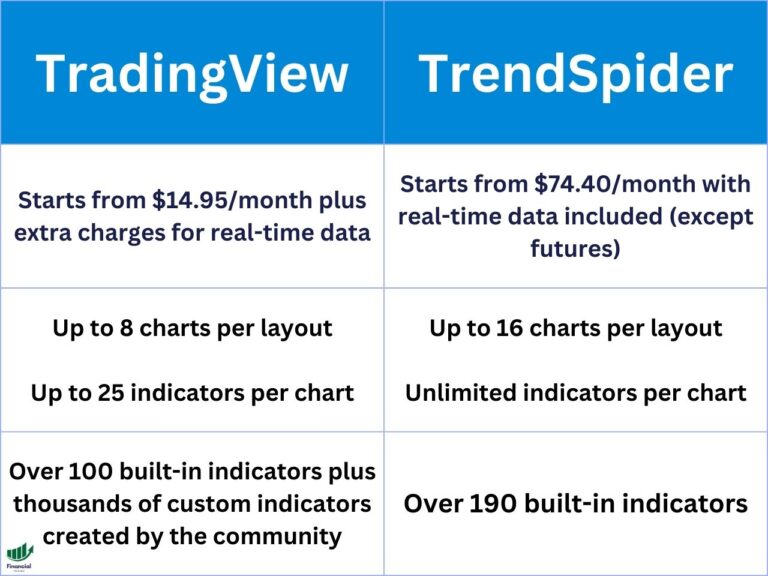
If the reason you are comparing these two is chart quality, this is the shorter path. TradingView is free forever on the Basic plan, runs $14.95 to $239.95 a month on paid tiers, and gives you a 30-day free trial on Essential, Plus, and Premium. You get 100-plus built-in indicators, a community script library, custom and tick timeframes MT4 does not offer, and the same layout on desktop, browser, and phone.
Start a Free TradingView TrialMT4 vs TradingView at a Glance
| Feature | MetaTrader 4 | TradingView |
|---|---|---|
| Type | Downloadable desktop terminal plus mobile app | Browser-based, with desktop and mobile apps |
| Cost | Free, supplied by your broker | Free Basic plan; $14.95 to $239.95 a month paid |
| Markets | Forex plus whatever CFDs your broker lists | Forex, stocks, futures, crypto, indices, bonds |
| Built-in indicators | 30 | 100-plus, with a large community script library |
| Scripting language | MQL4 | Pine Script |
| Timeframes | 9 fixed (M1 to MN) | 20-plus including custom, tick, range, and Renko |
| Automation | Expert Advisors run unattended on the terminal | Alerts and webhooks; no native unattended bot |
| Order execution | Direct to your broker inside the terminal | Through a connected broker from the chart |
| Best for | Automated forex execution and broker access | Analysis, multi-market charting, discretionary setups |
What MT4 Actually Is in 2026
MetaQuotes released MetaTrader 4 in 2005, and two decades later it is still the default terminal at most retail forex brokers. That longevity is the whole point of it. MT4 is a small download, it runs on modest hardware, it sits on a VPS for months without attention, and every forex broker’s support desk knows it inside out.
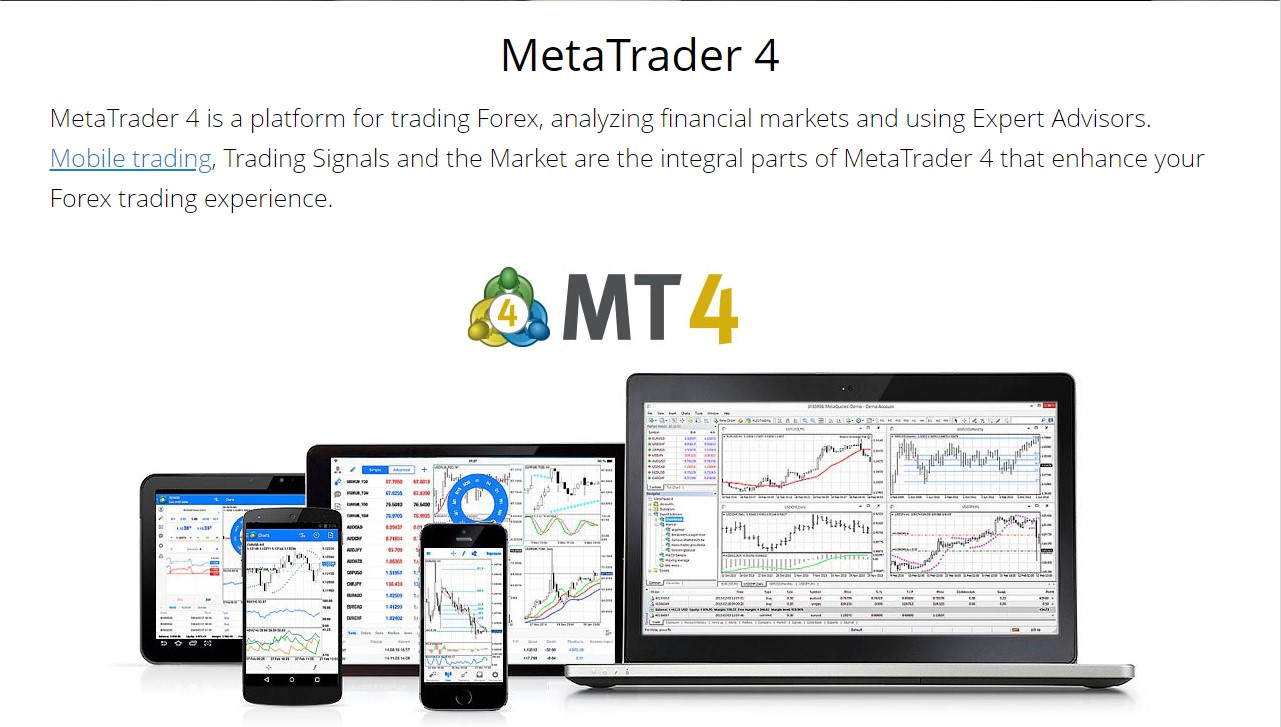
The claim you will read everywhere, including on the previous version of this page, is that MT4 has been frozen since launch. That is not accurate. MetaQuotes ended support for older desktop builds on July 1, 2025, setting Build 1440 as the minimum version able to connect to broker servers, and it has shipped releases since, with Build 1470 arriving on March 12, 2026. What is true is that MetaQuotes stopped selling new MT4 licenses to brokers years ago and pushes MT5 to anyone starting fresh, so the platform is maintained rather than developed. If your terminal suddenly cannot log in, the cause is almost always an out-of-date build, and the fix is a reinstall from your broker’s current download link.
What MT4 gives you is a charting package with 30 built-in indicators, nine fixed timeframes from one minute to one month, and a strategy tester. What it gives you that TradingView does not is MQL4 and Expert Advisors: compiled programs that live inside the terminal and place, manage, and close orders while you are asleep. If unattended automation is why you are reading this comparison, that single capability settles it.
What TradingView Actually Is in 2026
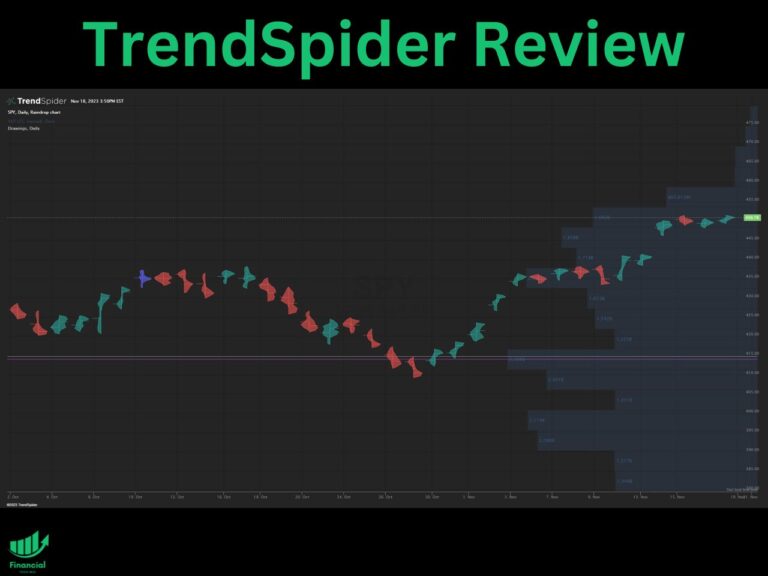
TradingView launched in 2011 as a browser-based charting platform and has grown into a full analysis workspace covering forex, equities, futures, crypto, indices, and bonds from one login. Charts render in the browser, so nothing gets installed and your layouts, watchlists, and alerts follow you to any machine or to the phone app. It is worth trying TradingView on the free Basic plan before paying for anything, because Basic already covers a single chart with a handful of indicators and will tell you within an afternoon whether the interface suits you.
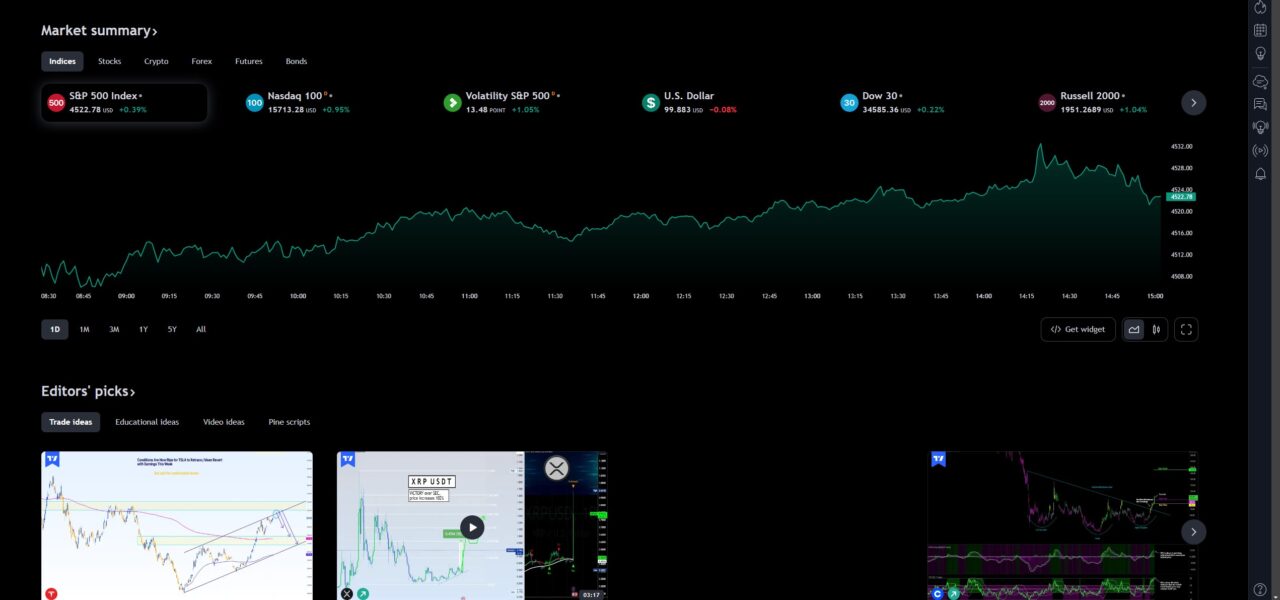
Pricing runs across four paid tiers above the free plan. Paying annually drops each tier by roughly 13 to 17 percent, and Essential, Plus, and Premium all carry a 30-day free trial.
| Plan | Monthly | Annual (per month) | Charts per tab | Indicators per chart |
|---|---|---|---|---|
| Basic | Free | Free | 1 | 2 |
| Essential | $14.95 | $12.95 | 2 | 5 |
| Plus | $34.95 | $29.95 | 4 | 10 |
| Premium | $69.95 | $59.95 | 8 | 25 |
| Ultimate | $239.95 | $199.95 | 16 | 50 |
Most traders who pay land on Plus or Premium. If you want the tier-by-tier breakdown including data-feed add-ons, we cover it in detail in our guide to TradingView pricing.
Charting and Indicators: Where the Gap Is Widest
This is the axis the comparison is usually decided on, and it is not close. MT4 ships 30 built-in indicators and nine timeframes. TradingView ships more than 100 built-in indicators on top of a community library running into six figures, and it lets you build custom intervals: a 3-minute chart, a 2-hour chart, tick charts, range bars, Renko. If you trade a session that does not divide neatly into MT4’s fixed set, TradingView solves a problem MT4 cannot.
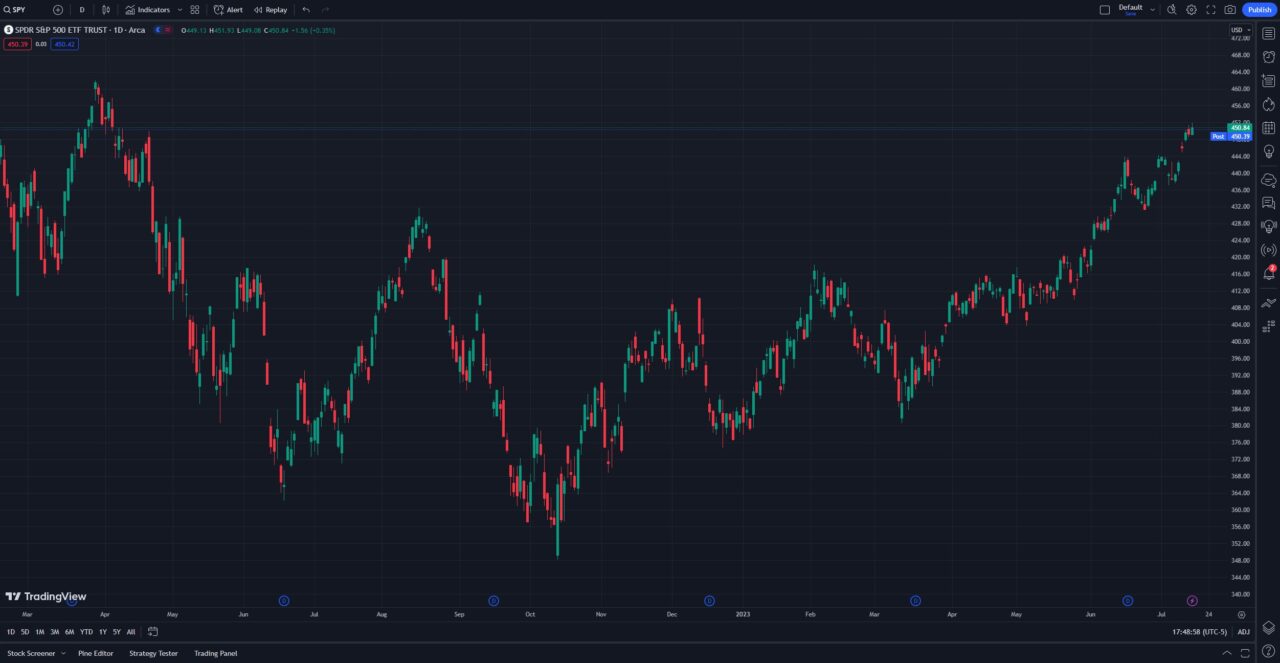
Drawing tools tell the same story. TradingView’s tool set covers Fibonacci variants, Gann, Elliott wave counters, pitchforks, and volume profile, and every object snaps, syncs across layouts, and persists across devices. MT4’s drawing tools are functional and dated. Over my years of trading I have found that the practical difference shows up when you revisit a chart a week later: TradingView still has your levels exactly where you left them, on whatever device you open.
If you want a shortlist of what is worth loading onto a TradingView chart rather than working through the library yourself, start with our roundup of the best TradingView indicators.
Automation: Expert Advisors vs Pine Script
Both platforms let you write code, and they do fundamentally different things with it.
MQL4 Expert Advisors compile into the MT4 terminal and trade for you. Point an EA at a chart, leave the terminal running on a VPS, and it will open, size, manage, and close positions with no one watching. The MQL4 marketplace has two decades of accumulated EAs and indicators behind it, and MT4’s strategy tester will run one over historical tick data before you risk anything.
Pine Script is a different animal. It builds indicators, screeners, and strategies that live on the chart, and TradingView’s strategy tester will backtest them, but Pine does not place unattended orders by itself. The standard workaround is alerts plus webhooks routed to a broker or an execution service, which works well and is more fragile than a compiled EA sitting on a VPS. TradingView’s built-in backtesting is easier to iterate on; MT4’s is closer to what an automated forex system actually needs.
The honest summary: if your strategy has to run without you, MT4. If your strategy needs you to look at it, TradingView.
Markets You Can Actually Trade on Each
MT4 is a forex terminal first. What else you see in the Market Watch window is entirely down to your broker, and most MT4 brokers list CFDs on indices, spot metals, energies, and often crypto alongside the currency pairs. What you will not get is real equities, listed futures, or options: those are not part of the MT4 model. If you only trade currency pairs, that ceiling never bothers you.
TradingView charts essentially everything: global equities, futures, forex, crypto, indices, bonds, and economic data series, all from one watchlist. For a trader who runs a forex book alongside stock or futures positions, that consolidation is the single biggest day-to-day advantage over MT4, because you stop maintaining two chart setups. If you are weighing MT4 against a futures-first platform instead, our MT4 vs Tradovate comparison covers that pairing.
Order Execution and Broker Support
MT4’s execution model is its strongest remaining argument. Your broker gives you the terminal, so charting and order entry are the same window, one-click trading and stop and limit management are native, and there is no integration to configure or break. Broker coverage is enormous, and in several jurisdictions MT4 is simply what is on offer.
TradingView routes orders through a connected broker from inside the chart. The supported list covers major forex brokers including OANDA, FOREX.com, Pepperstone, and FXCM, plus equity and futures brokers, and TradingView now routes options orders through partners including TradeStation, Tradier, and Alpaca. It works well once connected, but it is an integration, and which broker you can use is a real constraint. Our guide to picking the best broker for TradingView walks through the current list.
This is why the two-platform setup is so common among forex traders: TradingView for analysis and alerts, the broker’s MT4 terminal for the fill. There is nothing wrong with that answer, and for a lot of people it is the right one.
Recommended tool
Financial Tech Wiz Trading Journal
Running charts on one platform and fills on another makes it very easy to lose track of how you are actually doing. The journal imports your fills automatically from 25+ brokers and shows win rate and P&L broken down by symbol and hold duration, so a two-platform workflow still produces one honest record. $19/month, or $9.91/month billed annually.
Try the Trading JournalWhich One Should You Use?
Pick MT4 if you trade forex through a broker that offers it, you want to run Expert Advisors unattended, you need one-click execution in the same window as the chart, or your broker simply does not support anything else. MT4 is free, it is stable, and for automated currency trading nothing in TradingView replaces it.
Pick TradingView if chart quality is what you are actually shopping for, you trade more than one asset class, you want custom or tick timeframes, you switch between desktop and phone, or you rely on alerts and screeners. Start on the free plan, then move to Essential or Plus once you hit the chart and indicator limits.
Use both if you are a discretionary forex trader, which describes most people arriving at this question. Analyze on TradingView, execute on MT4, and accept that the two-platform setup is normal rather than a compromise. If you want the wider field before committing, our roundup of TradingView alternatives covers the platforms worth looking at alongside these two.
Track Your Results Wherever You Trade
Whichever platform you land on, neither one tells you whether your trading is working. MT4’s account history is a ledger, and TradingView’s is a broker feed. Neither breaks your results down by setup, session, or hold time. If you are not ready to pay for anything yet, start with our free trading journal template in Google Sheets and log a month of trades by hand. It is a low-friction way to find out what your data has to say before you commit to a tool.
FAQ
Is MetaTrader faster than TradingView?
For order entry, yes. MT4 is a local application talking straight to your broker’s server, so the click-to-fill path is shorter than TradingView’s, which passes through a broker integration. For chart rendering and loading large indicator stacks, TradingView is generally the smoother of the two, particularly on a laptop. Speed favors MT4 on execution and TradingView on analysis.
Do traders still use MT4 in 2026?
Yes, in large numbers. MT4 remains the default terminal at most retail forex brokers, the MQL4 Expert Advisor ecosystem has no equivalent anywhere else, and MetaQuotes is still shipping builds. It is a mature platform rather than a growing one, but “mature” and “dead” are not the same thing.
Will MT4 be phased out?
Not on any announced schedule. MetaQuotes ended support for desktop builds below 1440 on July 1, 2025, which stopped old terminals connecting to broker servers, and some brokers have retired MT4 in favor of MT5 on their own initiative. But MetaQuotes has continued releasing MT4 updates since that cutoff, with Build 1470 shipping in March 2026. The practical risk is your specific broker dropping MT4, not MetaQuotes switching it off.
Can you connect TradingView to an MT4 broker?
Not to MT4 itself. TradingView connects to brokers through its own integrations, so what matters is whether your broker appears on TradingView’s supported list, not whether it offers MT4. Several large forex brokers, including OANDA, FOREX.com, and Pepperstone, support both routes, which is how the analyze-on-TradingView and execute-on-MT4 workflow stays practical at one broker.
Is TradingView worth paying for if I already have MT4?
Run the free Basic plan alongside MT4 first. If you find yourself hitting the one-chart limit, wanting a second indicator, or needing more than a couple of alerts, that is the signal to upgrade, and Essential at $12.95 a month billed annually clears most of it. If Basic covers you, there is no reason to pay.
Financial Tech Wiz / Free resources
Build a clearer picture of your trading.
Start with the free trading journal template. Keep your trades organized, review your results, and build a consistent review routine.
- Free Google Sheets and Excel trading journal template
- Indicators, watchlists, and scanners
- Access to the free trading community
Ready for automatic trade tracking? Explore the Financial Tech Wiz Trading Journal.
Free resources + trading emails. Unsubscribe anytime.