Barchart Alternatives for 2026: 7 Tools for Swing Traders

Barchart packs a huge amount of market data into one site, and for options flow and futures data it is hard to replace. Swing traders who mostly screen stocks and read charts often want something else: deeper charts, scans they write themselves, relative strength rankings or a screener that does not cut free results off at 20 names. Below are the Barchart alternatives I would look at, what each one adds, what it cost on November 10, 2026, and when Barchart is still the better tool.
Key Takeaways
- Barchart has a free membership, Plus at $9.99 a month or $99 a year, and Premier at $29.95 a month or $239.95 a year, with a 30-day free trial on both paid plans. Premier’s strength is options data: options screeners, unusual options activity, options flow and volatility tools.
- If you mainly trade stock charts, TradingView and StockCharts are the usual next steps; for scans you write yourself, look at TC2000, TrendSpider and StockCharts; for a fast free filter, Finviz.
- The cheapest upgrade is often free: free O’Neil-style scan results with stated limits, plus a free charting plan. Pay only for the one piece you actually miss.
Barchart alternatives at a glance
Prices were checked on each company’s own pricing page on November 10, 2026. Several tools were running Black Friday sales that day, so the table shows regular prices and each sale is noted, with its end date, in that tool’s section.
| Tool | Good fit for | Price (regular) | Free option |
|---|---|---|---|
| Barchart | Options data, futures and broad market data | Plus $9.99/mo or $99/yr; Premier $29.95/mo or $239.95/yr | Yes, free membership; 30-day trial |
| Financial Tech Wiz Trading Journal | Free O’Neil-style scan results plus a journal | Free; paid $19/mo or $119/yr | Yes, free account |
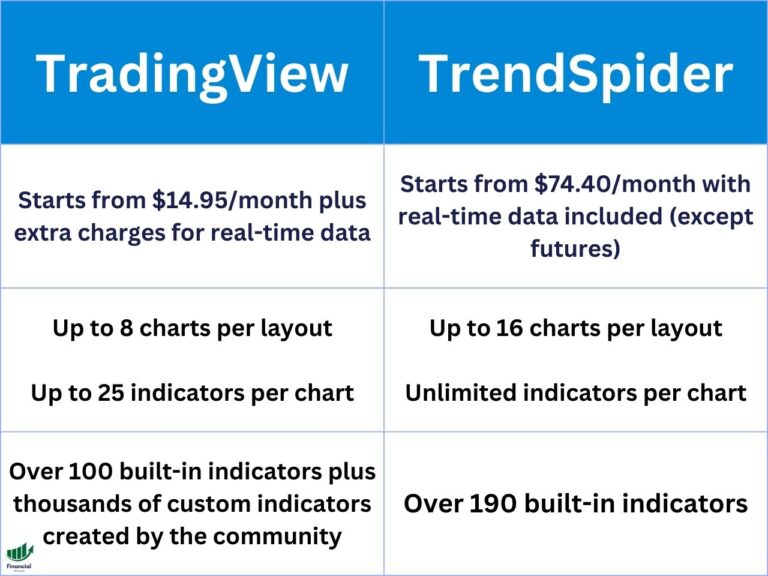
| TradingView | Charts and a screener in one place | Free; Essential $14.95/mo ($12.95 promo yearly) | Yes, Basic plan |
| StockCharts | Clean charts and text-based custom scans | $19.95, $29.95 or $49.95 a month | Yes, free charts; 1-month trial |
| Finviz | Quick filters and a fast first list | Free; Elite $39.50/mo or $299.50/yr | Yes, free Finviz |
| TrendSpider | Automated patterns, scanning and backtests | Paid plans only | No; paid trial |
| TC2000 | Formula scans and fast chart flipping | $24.99, $49.99 or $99.99 a month | No free plan listed |
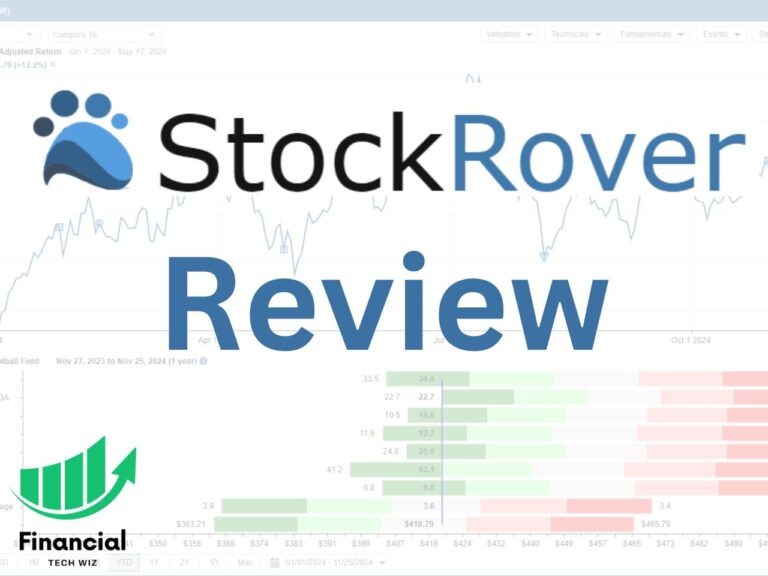
| Stock Rover | Fundamental and growth screens | $29 to $149/mo billed yearly | Yes, free plan |
What Barchart does well
It is worth being fair before you switch. Barchart covers stocks, ETFs, futures, forex and commodities, and its free membership already gives you quotes, charts, news, watchlists and screeners. The free screeners show only the first 20 results, and the site carries ads. On November 10, 2026 its plans page listed Plus at $9.99 a month or $99 a year, which removes ads and unlocks full screener results, and Premier at $29.95 a month, $239.95 a year or $419.95 for two years. Both paid plans start with a 30-day free trial.
Premier is where Barchart is strongest. It adds options screeners for covered calls, naked puts and spreads, unusual options activity, options flow, IV rank, gamma exposure charts, saved stock screeners that run automatically up to four times a day and email you a CSV, and historical data downloads. If you trade options or futures, few tools on this page match that data for the price. Our Barchart vs TradingView comparison covers the charting side, and Barchart vs StockCharts covers screening and charts against a classic chart service. We have no affiliate relationship with Barchart.
Why swing traders look past Barchart
The first reason is charts. Barchart’s charts are competent, but traders who judge bases, tight closes and pivot points every night usually want stronger drawing tools, more layouts and faster flipping through a list. Most end up charting somewhere else anyway.
The second reason is custom conditions. Barchart’s stock screener has over 150 filters, but it is still a filter screen. You cannot write “close within 5% of the 52-week high while volume dries up” as one formula, and multi-timeframe rules need a scan language or a tool that finds the pattern for you.
The third reason is relative strength. O’Neil-style traders want stocks ranked against the whole market by their recent performance. The Barchart Opinion is a technical buy and sell rating, which is a different idea, so you end up approximating relative strength with performance columns and manual sorting. And if you do not trade options, much of what Premier costs goes to data you will not use.
7 Barchart alternatives compared
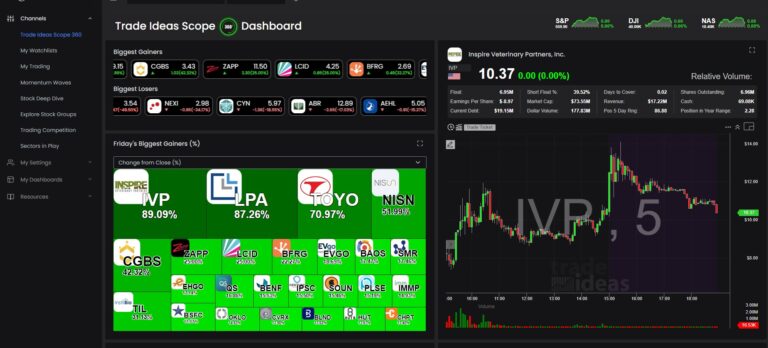
1. Financial Tech Wiz Trading Journal: free O’Neil-style scans plus a journal
Full disclosure first: we make the Financial Tech Wiz Trading Journal, so we have a material connection to it, and it is first on this list because it is the free starting point. I trade O’Neil-style breakouts myself, and I built it because I wanted the scans I use and a journal in the same place.
We publish free scanner pages for the setups a filter screen cannot rank. The RS Rating scanner lists stocks with our RS Rating of 95 or higher. Our RS Rating is our own calculation: it weights each stock’s 3, 6, 9 and 12-month returns against SPY and ranks the result from 0 to 100. It is not an IBD rating. The CAN SLIM screener combines earnings growth with price strength, the Minervini Trend Template scanner checks the moving average stack, and the momentum scanner lists US stocks with a 100-day rate of change of at least 40% or a 100-day EMA slope of at least 25%. The VCP scanner shows volatility contraction setups and their pivot breakouts. The full set is on our free stock scanners page.
Here are the limits, stated plainly. Our scans run on the daily close after each trading day, so there is no intraday scanning. We have no options data or options screeners, so this does not replace Barchart Premier for options work. The journal is not a charting platform: you cannot write your own scan conditions or draw on charts, and there is no order entry. The free pages and the free account show final scan results that are five exchange sessions delayed, which is fine for learning the setups, building a watchlist and studying how past results played out, but it is not a list of what to buy tomorrow. Today’s lists are on the paid plan at $19 a month or $119 a year, which also adds Broker Auto Sync with 25+ brokers, the AI Trading Coach, which answers questions using your own journal data, and the Official systems with their backtests.
The journal side is the part no screener has. A free account includes manual trade entry and the journal analytics: win rate and P&L by symbol, hold time, day of week and time of day. Free accounts can also connect their own journal to an AI assistant through our MCP server (52 of 82 tools). You can open a free account with just an email.
Good fit for: swing traders who scan after the close and want relative strength scans and a journal for free. Not a fit for: options traders, or anyone who needs intraday scans or charting in the same tool.
2. TradingView: charts and a screener in one place
TradingView is the most common move for a Barchart user who mostly reads charts. Its charts, drawing tools and indicator library are far deeper, Pine Script lets you build your own indicators, and its stock screener filters on performance over any period, moving averages, relative volume, technical ratings and fundamentals, with every result opening straight into a full chart. It has no built-in relative strength percentile, so you approximate it with performance columns or a community script; treat any community “RS Rating” script as that author’s own formula. Our TradingView review covers the plans.
TradingView has a free Basic plan. On November 10, 2026 its pricing page listed Essential at $14.95 a month, or a promotional “special price” of $12.95 a month billed yearly.
Good fit for: traders who want one charting home with a solid screener. Not a fit for: options traders who rely on Barchart’s flow and unusual activity data.
3. StockCharts: clean charts and text-based scans
StockCharts is the classic alternative for technical traders. Its charts are clean and easy to annotate, its free ChartSchool library teaches the indicators, and paid members can save custom scans written in its own scan language, schedule them and set alerts. On its pricing page the Basic plan includes 1 saved scan, Extra includes 200 and PRO includes 500, so Extra is the realistic plan for a swing trader who scans every night. Our TradingView vs StockCharts comparison covers how its charts stack up.
On November 10, 2026 StockCharts listed Basic at $19.95, Extra at $29.95 and PRO at $49.95 a month, with a free 1-month trial that starts at Extra and a 13th month free when you prepay a year. Free charting is available without a paid plan. We have no affiliate relationship with StockCharts.
Good fit for: chart readers who want saved custom scans at a moderate price. Not a fit for: options and futures traders who need Barchart’s data breadth.
4. Finviz: the fast free filter
If you use Barchart’s free screener mostly to get a quick list, Finviz is the simplest swap. Its dropdown filters cover moving average position, new highs, distance from the 52-week high, relative volume, gaps, EPS and sales growth and chart patterns, and its heat maps give a quick read on the market. The free version uses delayed data. On November 10, 2026 Finviz listed Elite, with real-time data, advanced filters, alerts and exports, at $39.50 a month or $299.50 a year.
Finviz shares the filter-screen limits: fixed buckets, no formulas and basic charts. If you outgrow it too, our Finviz alternatives guide covers the next step.
Good fit for: traders who want a fast free first filter. Not a fit for: anyone who needs options data or custom scan formulas.
5. TrendSpider: automated patterns, scanning and backtests
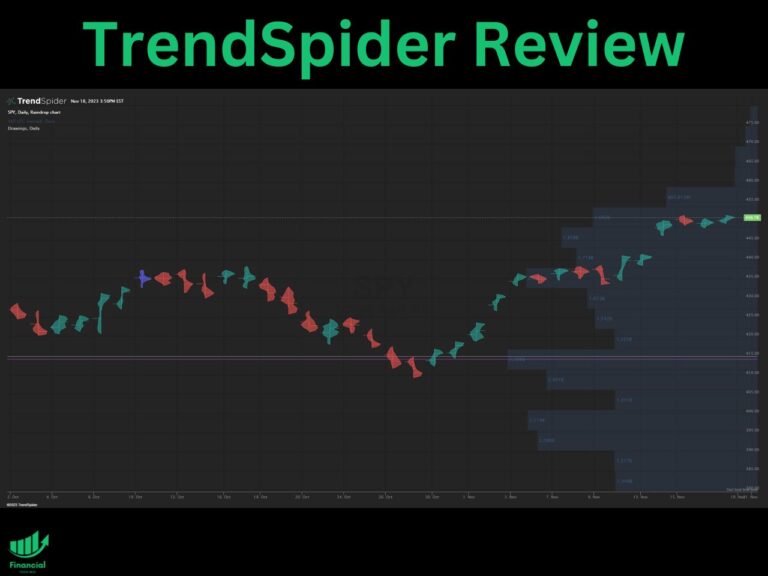
TrendSpider is the pick on this list for automation. It draws trendlines automatically, detects chart and candlestick patterns and runs multi-timeframe scans, so a weekly uptrend plus a daily pullback becomes one scan instead of two. Scans can run on a schedule, become alerts and be backtested without code, which lets you test a breakout rule before you trust it. Our TrendSpider review covers the full feature set.
TrendSpider has no free plan. On November 10, 2026 its pricing page offered a 7-day trial at $1 a day and up to 65% off through November 15, 2026, the first stage of a Black Friday sale that runs through November 27, 2026. After the sale ends, coupon code FTW25 takes 25% off.
Good fit for: traders who want scanning, automated pattern work and backtesting together. Not a fit for: anyone looking for the cheapest option.
6. TC2000: formula scans and fast chart flipping
TC2000 has been a momentum and growth trader’s tool for years. Its Personal Criteria Formulas let you write almost any condition, then scan, sort or plot the whole market by it, and moving through a sorted watchlist with the keyboard is quicker than in most browser tools. That is the piece a filter screen cannot do. Our TC2000 review walks through the full platform.
On November 10, 2026 TC2000 listed Basic at $24.99, Premium at $49.99 and Premium+ at $99.99 a month, or $20.82, $41.65 and $83.32 a month billed yearly. Scanning, EasyScan and formulas start at Premium; Basic covers charts, watchlists and news. Through our link you get $25 off your first month with no code needed. If TC2000 itself feels expensive, our TC2000 alternatives guide covers that side.
Good fit for: traders who want to write their own scans. Not a fit for: anyone who wants a free tool or no learning curve.
7. Stock Rover: fundamentals and growth screens
Stock Rover is a research platform built around fundamentals: years of financial history, growth metrics and highly customizable screeners. If you use Barchart mainly for fundamental screens and company data, it goes deeper on that side, while it is weaker on charts and has no options flow. Our Stock Rover review covers each plan.
Stock Rover has a free plan and a 14-day trial on paid plans. Billed yearly, its plans listed at $29, $49, $79 and $149 a month on November 10, 2026. Its Black Friday sale takes 30% off a first yearly or two-year term for new subscribers and ends November 30, 2026 at 11:59 PM ET.
Good fit for: growth investors who screen on fundamentals first. Not a fit for: pure chart readers.
Feature comparison
| Tool | Relative strength | Custom conditions | Scan timing | Trade journal |
|---|---|---|---|---|
| Barchart | Performance columns | Filters (150+) | Saved screeners auto-run up to 4 times a day on Premier | No |
| Financial Tech Wiz Trading Journal | Our own RS Rating, 0 to 100 | No, prebuilt scans | Daily close; free is 5 sessions delayed | Yes |
| TradingView | Performance columns or community scripts | Pine Script indicators | Real time on paid plans with data | No |
| StockCharts | Build your own scan | Yes, scan language | Scheduled scans | No |
| Finviz | Performance buckets only | Filters only | Delayed free; real time on Elite | No |
| TrendSpider | Build your own | Yes, no-code conditions | Real time and scheduled | No |
| TC2000 | Build your own formula | Yes, PCF formulas (Premium) | Real time | No |
| Stock Rover | Performance metrics | Yes, custom screens | End of day research data | No |
For side-by-side cards on these and other charting tools, see the charting and screener comparison on our compare page.
What a year of each setup costs
Monthly prices hide the gaps, so here is the yearly math at regular prices. Barchart Premier is $239.95 billed yearly and Barchart Plus is $99. Finviz Elite is $299.50. TC2000 Premium, the first plan with scanning, works out to about $500 billed yearly ($41.65 a month). StockCharts Extra is about $360 a year on monthly billing, with a 13th month free when you prepay. Stock Rover’s entry paid plan is $348 billed yearly. TradingView Essential billed yearly is about $155 at its promotional rate. Our paid plan is $119 a year. Barchart’s free membership, free Finviz, TradingView Basic, free StockCharts charts, Stock Rover’s free plan and our free account cost nothing.
A free swing trading setup without Barchart Premier
This is the setup I would give a friend who trades stocks, not options, and wants to drop a paid Barchart plan. It costs nothing until you want same-day lists or real-time scans.
- Check the market first. Breakouts work best when the indexes are trending. Before you scan, check whether the S&P 500 and Nasdaq are above their rising moving averages.
- Build the strength list. Run a free Finviz or TradingView screen for stocks near their 52-week highs with strong six-month performance and enough dollar volume. Compare it with our RS Rating and CAN SLIM scan results for a second, ranked list.
- Look for the base. Open each name on a free chart. You want a proper base, such as a cup with handle or a flat base, with tightening price action. The VCP scan results do part of this work.
- Set alerts at the pivot. Use free price alerts on your charting platform so you are not watching screens all day.
- Journal every trade. Log the entry, the stop, the setup and the reason. After 30 trades, your win rate and average gain by setup will tell you which part of the routine to keep.
Our free scan results are five sessions delayed, so use them to learn what the rules find and to build a watchlist, then confirm the current chart yourself. For more on picking a screener for this routine, see our guide to the best stock screener for swing trading.
Who should stay on Barchart
Stay if you trade options or futures and use Premier’s options screeners, unusual activity and flow, if you want one site that covers every asset class, or if the free membership already gives you what you need. At $239.95 a year, Premier is inexpensive for that options data compared with most tools here.
Switch, or add one tool, if you mostly trade stock charts, if your setup needs rules a filter screen cannot express, or if you keep rebuilding a relative strength list by hand. For a wider look at charting and broker tools, see our best trading platforms guide. Most tools on this page have a free plan or a trial, so you can rebuild your Barchart screen in them before you pay for anything.
FAQ
How much does a Barchart membership cost?
On November 10, 2026 Barchart listed Plus at $9.99 a month or $99 a year and Premier at $29.95 a month, $239.95 a year or $419.95 for two years. Both start with a 30-day free trial, and a free membership is available. Check Barchart’s plans page for current prices.
Which is better, TradingView or Barchart?
For charting, TradingView: its charts, drawing tools and indicators are far deeper. For options data, Barchart Premier: its options screeners, unusual activity and flow go further for the price. Both have free plans, and many traders use one of each.
What is the best free charting platform?
For most stock traders, TradingView’s free Basic plan is the usual starting point, with StockCharts’ free charts as a simpler option. Barchart’s free charts are fine for a quick look. Pick the one whose charts you can read fastest.
Is there a free Barchart alternative for stock scans?
Finviz’s free screener works with delayed data. Our free scanner pages show O’Neil-style scan results, ranked with our own RS Rating, that are five exchange sessions delayed; today’s lists are on our paid plan. You can create a free account to see them in the app and journal the trades you take.
Financial Tech Wiz / Free resources
Build a clearer picture of your trading.
Start with a free journal account. Keep your trades organized, review your results, and build a consistent review routine.
Your free journal account includes the template and tools by email:
- Free Google Sheets and Excel trading journal template
- Indicators, watchlists, and scanners
- Access to the free trading community
Ready for automatic trade tracking? Explore the Financial Tech Wiz Trading Journal.
Free journal. No card needed.