TC2000 Review (2026): Scanner, Charts, and Pricing, Tested by a Trader

TC2000 has been the quiet workhorse behind a lot of day-trading and swing-trading scans for over two decades, but the brand name alone tells you nothing about whether it fits how you actually trade. I spent time in the EasyScan screener, the charts, and the options tools, and pulled the current pricing apart tier by tier. Here is the honest version: what TC2000 does better than almost anything at its price, where it frustrates, and who should skip it.
If you want to test the platform before paying, the TC2000 free trial walkthrough covers the trial window, the money-back guarantee, and what is included in each tier.
TC2000 Review
Fast scans for a scan-first workflow
Use EasyScan, charts, and real-time US stock data to narrow a watchlist before you commit capital.
Key Takeaways
- TC2000’s EasyScan stock screener and chart-rendering speed are its real edge: few platforms near its price scan as fast or as flexibly.
- Pricing now runs across three paid tiers, Basic, Premium, and Premium+, with real-time US stock data bundled into every paid plan rather than sold as a separate add-on.
- It is built for scanning and charting, not deep options analytics or multi-asset trading, so match it to a scan-first workflow before you commit.
Track what your scans actually do
Financial Tech Wiz Trading Journal
A great scanner like TC2000 surfaces setups. The journal tells you which of those setups are actually making you money, with win rate and P&L across your positions, broken down by symbol and hold duration.
Start tracking your tradesWhat Is TC2000?
TC2000 is Worden Brothers’ charting, scanning, and (optionally) brokerage platform. It has been in continuous development for more than 20 years and is consistently rated among the strongest analytical tools you can buy for under $500 a year. The simplest way to think about it: this is scan-first software that happens to offer a broker, not a full-service broker that happens to chart.
That positioning matters because it shapes who the platform is built for. TC2000 rewards traders who live in watchlists and scans, who want to filter thousands of stocks against custom conditions in real time and then jump straight into a clean, fast chart. If your day starts by asking “what is setting up right now,” TC2000 is built around that question. If you want a single platform to chart futures, forex, and crypto, or to run deep multi-leg options analytics, it is not the right tool, and I will be clear about that throughout this review.
The software is offered by TC2000 Software Company, while securities brokerage is handled by a separate but affiliated entity, TC2000 Brokerage. You can use the analytics without ever opening a brokerage account, which is how a large share of TC2000 users run it: as a research and scanning layer alongside whatever broker they already trade with.
TC2000 Pricing in 2026
TC2000 restructured its plans into three paid tiers: Basic, Premium, and Premium+. The biggest change from the platform’s older lineup is that real-time US stock data from Nasdaq Basic (NYSE, Amex, and Nasdaq) is now included in every paid plan, including the entry-level Basic tier, instead of being sold as a separate data add-on. That single change makes the lowest tier far more usable for live trading than it used to be.
Here are the current monthly rates. Worden adjusts pricing periodically, so confirm the live numbers on the TC2000 pricing page before you subscribe, and check the current TC2000 discount code options if you want to trim the cost.
| Plan | Monthly rate | Best for |
|---|---|---|
| Basic | $24.99/mo | Real-time charting, watchlists, and paper trading for a single-screen trader |
| Premium | $49.99/mo | Real-time EasyScan scanning, formulas, alerts, and multi-monitor layouts |
| Premium+ | $99.99/mo | Auto-refreshing scans, market-pulse gauges, and up to 1,000 alerts for active day traders |
Billing is offered monthly, annually, or biennially. Choosing annual billing knocks roughly 17% off the effective monthly rate (you pay for ten months and get two free), and biennial billing pushes the discount to about 25%. If you already know TC2000 fits your workflow, the longer terms are the obvious way to lower the cost.
A few add-ons sit outside the core plans. Real-time US index data and real-time US options data are each optional feeds (around $9.99 per month each), and there are extra-alert packs and consolidated-tape options for traders who need them. Most equity traders never touch these, but options-focused traders should budget for the real-time options feed on top of the base plan.
Is there a permanently free version? Not anymore in the way TC2000 once offered one. The current lineup is three paid tiers, and the way to try the platform at no cost is the time-limited free trial plus money-back guarantee, which I cover in the dedicated free trial guide. Plan to land on at least the Premium tier if real-time scanning is the reason you are here, because scanning is gated above Basic.
The EasyScan Stock Screener
EasyScan is the reason most serious TC2000 users stay. It is a condition-based screener: you stack indicators, price action, fundamentals, and your own formulas into a set of rules, and TC2000 filters the entire market against them. The EasyScan Wizard walks you through building a condition step by step if you do not want to write code, but the platform also supports Personal Criteria Formulas (PCFs) so you can write your own conditions to chart, filter, and sort. That combination of a guided wizard plus a real formula language is rare at this price.
The standout is speed. On the scanning-capable tiers, TC2000 filters thousands of symbols and updates results in real time as data streams from the exchanges, and on Premium+ you can set scans to auto-refresh at intervals or continuously. In practice that means you can build a “stocks crossing above the 20-day on rising volume” scan once and watch it repopulate live through the session, rather than re-running it manually. If you have ever sat in a slower screener waiting for results to load, the difference is immediately obvious.
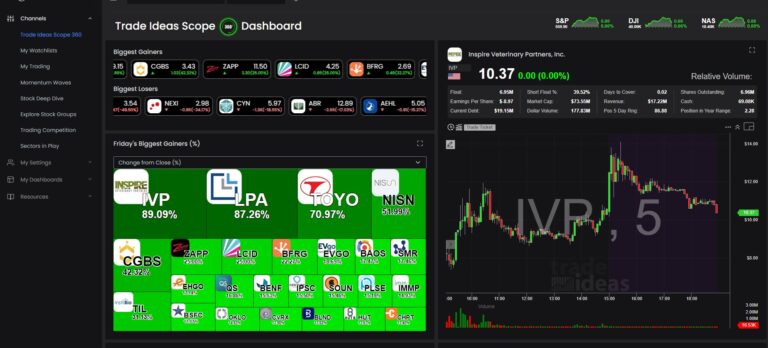
Compared with running scans in TradingView, TC2000 is faster and more flexible on raw equity screening, while TradingView wins on multi-asset coverage and a larger community of shared scripts. Against a dedicated alert engine like Trade Ideas, TC2000 gives you more hands-on control over the conditions but does not match Trade Ideas’ AI-driven, pre-built real-time alerts. If you want the full head-to-head, see the TC2000 vs Trade Ideas comparison. For most rules-based scanners, EasyScan is the strongest single reason to choose TC2000.
Charting and Indicators
TC2000’s charts are fast, smooth, and accurate, and that reputation has held up for decades. Charts redraw instantly when you change timeframes or symbols, which sounds minor until you are flipping through a 40-name watchlist during a fast open. The default layout is clean, and long-time users consistently praise how little visual clutter sits between them and the price action.
The indicator library covers the standard moving averages, oscillators, and volume studies, and because PCFs are first-class, you can build custom indicators and conditions that plot directly on the chart. The drawing toolset is genuinely good: you drag between any two points and preview trendlines, AVWAP, shapes, and indicators before committing, which makes chart markup quick. Multi-monitor support lets you float windows and drag layouts across screens, and you can save and switch entire layouts instantly, which is exactly what you want when you run different setups for different parts of the session.
Where charting is concerned, TC2000 holds its own against far pricier tools. If you are weighing it against the broader field, our roundup of the best charting software for stocks puts it in context. The honest caveat is that charting here is built for US equities and options, so multi-asset chartists will feel the ceiling.
Does TC2000 Have Backtesting?
Not in the systematic, strategy-rules sense, and it is worth being precise here because it is a common deciding factor. TC2000 is built for fast scanning and live charting rather than for backtesting a coded entry-and-exit strategy across years of history and getting an equity curve out the other end. What it does offer is a trading simulator for paper trading with real-time data, plus History Columns that let you review past scans and sorts for any lookback period, so you can see what a given scan would have surfaced last night or on the first of the year.
That is useful for sanity-checking whether a scan tends to catch the moves you care about, but it is not the same as a true strategy backtesting engine. If automated strategy backtesting is your priority, you will want to pair TC2000 with, or choose instead, a platform designed for that, such as TradingView’s built-in strategy tester or a dedicated backtesting tool.
Options Tools, Watchlists, and Alerts
TC2000 lets you chart and trade options, and on the brokerage side you can route orders, but set expectations honestly: options analysis here is lighter than a dedicated options platform. You will not find deep multi-leg modeling, probability-of-profit analytics, or rich Greeks surfaces of the kind a specialized options tool provides. For directional options traders who mostly want to chart the underlying and scan for setups, it is fine. For complex spread strategists who live in an options chain, it is not the centerpiece tool.
Watchlists are a strength. They stream live, update instantly, and you can stack, group, and hide columns to keep large lists readable. Alerts scale with the tier: Premium tracks up to 100 customizable real-time alerts and Premium+ raises that to 1,000, with extra-alert packs available if you somehow need more. For a scan-first trader, that alert headroom plus live watchlists is a tight, practical workflow.
Platform Availability: Desktop, Browser, Mac, and Mobile
The full-power experience is the TC2000 Windows desktop application. It is the fastest, most complete version, and it is where power users spend their time. There is also a browser-based web platform that runs the core charting, scanning, and watchlist features without an install, which is how Mac and Chromebook users typically access TC2000 since there is no native Mac desktop build. Mac users who want the desktop app specifically have historically needed a workaround like Parallels to run the Windows version.
On mobile, there is an Android app for charts, watchlists, and alerts on the go, with an iPhone app noted as coming. Treat mobile as a companion for monitoring and quick checks rather than as your primary scanning and analysis surface. The honest summary: choose TC2000 expecting to do your real work on Windows or the web platform, and use mobile to stay aware away from the desk.
TC2000 vs TradingView, Trade Ideas, and the Field
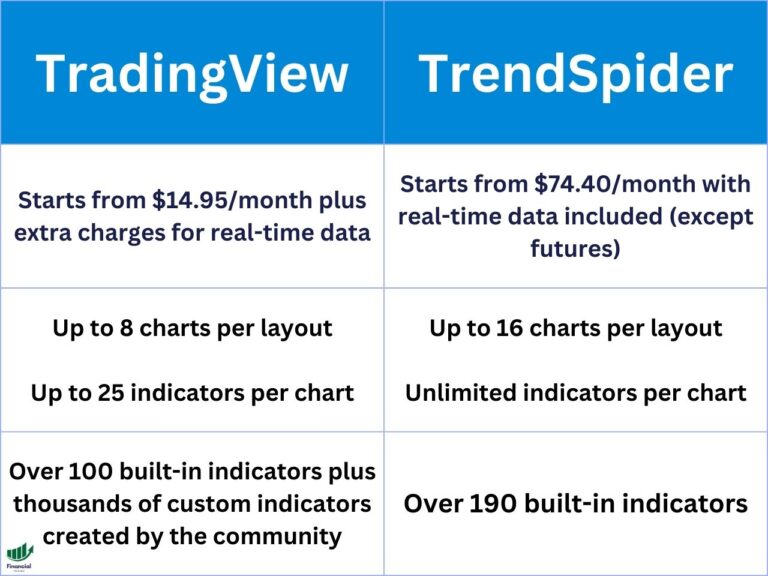
The most common comparison is TC2000 against TradingView, and the answer is genuinely about workflow rather than which is “better.” TC2000 wins on raw scan speed, formula-driven screening, and value for a US-equity scanner. TradingView wins on multi-asset breadth, social and community scripts, and built-in strategy backtesting. Trade Ideas wins on AI-driven, real-time alerting that surfaces ideas with less manual setup. None of them is the right answer for everyone.
| Platform | Wins on | Best for |
|---|---|---|
| TC2000 | Scan speed, formula screening, price | Scan-first US equity day and swing traders |
| TradingView | Multi-asset coverage, social, backtesting | Chartists across stocks, futures, forex, crypto |
| Trade Ideas | AI-driven real-time alerts | Traders who want ideas surfaced automatically |
For the deeper side-by-side breakdowns, see TradingView vs TC2000. The short version: if your edge comes from scanning the US market fast and cheap, TC2000 is hard to beat. If you need breadth or automation, look at the alternatives above.
Who TC2000 Is For (and Who Should Skip It)
Buy TC2000 if you are a scan-first day or swing trader on US equities who wants fast, flexible screening and clean charts at a fair price. The combination of EasyScan, live watchlists, and quick charts is a tight, productive loop for that trader, and the bundled real-time data on every paid tier removes the old friction of paying extra just to make the platform usable.
Skip it, or pair it with something else, if you need deep options analytics, futures or forex coverage, or true systematic backtesting. Those are not what TC2000 is built to do, and forcing the platform into that role will frustrate you. Knowing which trader you are is the whole decision.
Pros and Cons Summary
Pros
- Standout scan speed with the flexible EasyScan screener and PCF formulas
- Fast, smooth, clean charting trusted by traders for decades
- Real-time US stock data now bundled into every paid tier
- Extensively customizable layouts, watchlists, and multi-monitor support
- Strong value relative to comparable charting and scanning tools
Cons
- No true systematic strategy backtesting
- Real-time scanning is gated above the entry-level Basic tier
- Options analytics are lighter than a dedicated options platform
- No native Mac desktop app; Mac users rely on the web platform or a workaround
- Real-time index and options data are paid add-ons
Final Verdict: Is TC2000 Worth It?
For scan-first day and swing traders on US equities who value speed and price, TC2000 is worth it. It is one of the best values you can find for charting and screening, and bundling real-time data into every paid tier makes the entry point more honest than it used to be. Premium is the natural home for most active traders because it unlocks real-time EasyScan, while Premium+ suits day traders who want auto-refreshing scans and the larger alert ceiling. It is less compelling if you need deep options analytics, multi-asset coverage, or systematic backtesting.
Whichever tier you choose, the platform only tells you what is setting up. It cannot tell you whether the setups you take from those scans are actually making you money. That is the part most traders skip, and it is where a structured journal earns its keep: log the trades you take from TC2000, and let the data show you which patterns, symbols, and hold durations actually work for you. The Financial Tech Wiz Trading Journal is built for exactly that feedback loop.
Not ready to pay for software yet?
Free Trading Journal Template
Start by tracking the trades you take from your TC2000 scans in a free Google Sheets journal. It is the simplest way to see whether your setups are working before you upgrade your tools.
Get the free templateFinancial Tech Wiz / Free resources
Build a clearer picture of your trading.
Start with the free trading journal template. Keep your trades organized, review your results, and build a consistent review routine.
- Free Google Sheets and Excel trading journal template
- Indicators, watchlists, and scanners
- Access to the free trading community
Ready for automatic trade tracking? Explore the Financial Tech Wiz Trading Journal.
Free resources + trading emails. Unsubscribe anytime.
FAQ
Is TC2000 free?
TC2000 no longer offers a permanent free software plan. The current lineup is three paid tiers (Basic, Premium, and Premium+), and the way to try the platform at no cost is the time-limited free trial along with the money-back guarantee. The trial is enough to learn the platform and test the scanner before you decide on a tier.
How much does TC2000 cost?
TC2000 is priced in three paid tiers: Basic at $24.99 per month, Premium at $49.99 per month, and Premium+ at $99.99 per month, with discounts of roughly 17% for annual billing and 25% for biennial billing. Real-time US stock data is bundled into every paid tier. Confirm the current numbers on the TC2000 pricing page, since Worden adjusts them periodically.
Does TC2000 have backtesting?
Not in the systematic, strategy-rules sense. TC2000 is built for fast scanning and live charting, and it includes a trading simulator for paper trading plus History Columns for reviewing past scans, but it is not a dedicated strategy backtesting engine. If automated strategy backtesting is your priority, pair it with or choose a tool designed for that.
Is TC2000 worth it?
For scan-first day and swing traders on US equities who value speed and price, yes. It is one of the best values available for charting and screening. It is less compelling if you need deep options analytics, futures or forex coverage, or true systematic backtesting.
What charting software is better than TC2000?
It depends on what you need. TradingView is stronger for multi-asset coverage, social, and built-in backtesting. Trade Ideas leads on AI-driven real-time alerts. TC2000 still wins on raw scan speed and value, so “better” comes down to your workflow.
Financial Tech Wiz / Free resources
Build a clearer picture of your trading.
Start with the free trading journal template. Keep your trades organized, review your results, and build a consistent review routine.
- Free Google Sheets and Excel trading journal template
- Indicators, watchlists, and scanners
- Access to the free trading community
Ready for automatic trade tracking? Explore the Financial Tech Wiz Trading Journal.
Free resources + trading emails. Unsubscribe anytime.