TradingView vs Coinigy: Same Charts, Different Tools

Most TradingView versus Coinigy comparisons argue about whose charts are better, and that argument was settled years ago: Coinigy’s terminal renders the TradingView charting library, something Coinigy’s own release notes state plainly. So the real question is not which charts you prefer. It is whether you need exchange-connected order routing across dozens of crypto venues, or a full analysis platform that covers every market and lets you script your own indicators.
Key Takeaways
- Coinigy embeds the TradingView charting library, so the charts themselves are close to identical. Everything around the chart is where these two actually differ.
- TradingView is the better pick if you trade more than crypto, want Pine Script and backtesting, or lean on a public script library. Coinigy is the better pick if you actively trade several exchanges from one screen and want API-key order entry with no added platform fee.
- Coinigy runs $18.66 a month for Pro Trader after a 7-day trial, with a $99.99 API tier above it. TradingView starts free on Basic and scales through four paid tiers, so which one is cheaper depends entirely on whether you need order routing.
Charting Platform Pick
TradingView
Coinigy borrows TradingView’s charts. If charting, alerts, scripting and market coverage are what you actually need, going to the source gets you all of it plus stocks, futures and forex on the same account. Start on the free Basic tier and upgrade only when a feature stops you.
| TradingView | Coinigy | |
|---|---|---|
| Free option | Basic tier, free with no time limit | Starter tier, plus a 7-day trial |
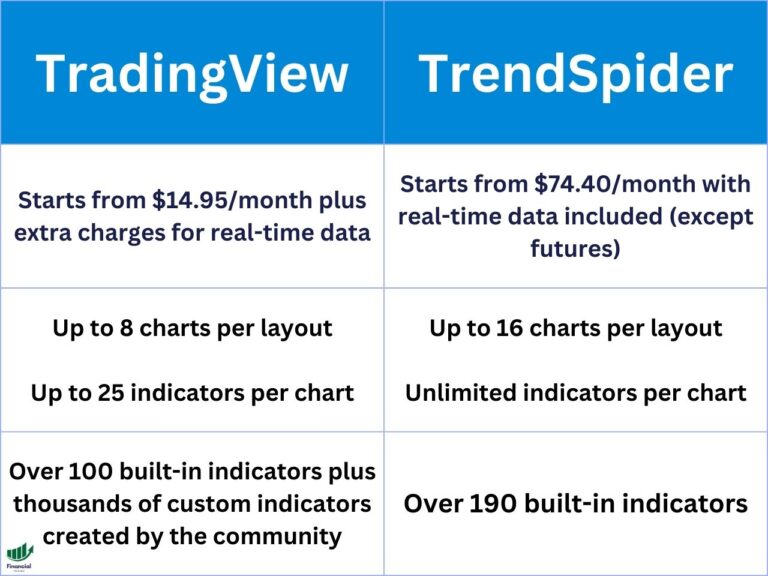
| Paid pricing | Four tiers: Essential, Plus, Premium, Ultimate | Pro Trader $18.66/mo, API Dev Pro $99.99/mo |
| Charting engine | Its own charting library | The same TradingView charting library, embedded |
| Indicators | Deep built-in set, plus a public community script library | 75+ technical indicators |
| Markets | Stocks, futures, forex, indices, bonds, crypto, CFDs | Crypto only, across 38 listed exchanges |
| Order routing | Through supported brokers and exchanges | Direct via exchange API keys, no added Coinigy fee |
| Custom scripting | Pine Script, plus strategy backtesting | No scripting language |
| Best for | Traders who analyze, script, and trade more than crypto | Active crypto traders working several exchanges at once |
Overview of TradingView and Coinigy
TradingView
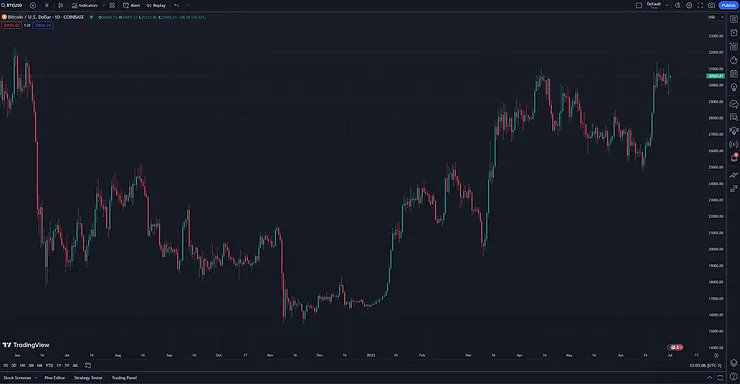
TradingView is a charting and analysis platform covering stocks, crypto, forex, futures, indices and more, with a free tier that is genuinely usable and paid tiers that unlock more indicators per chart, more alerts, and deeper intraday history. It is where a large share of retail traders do their chart work regardless of what they trade or where they place the order.
Coinigy
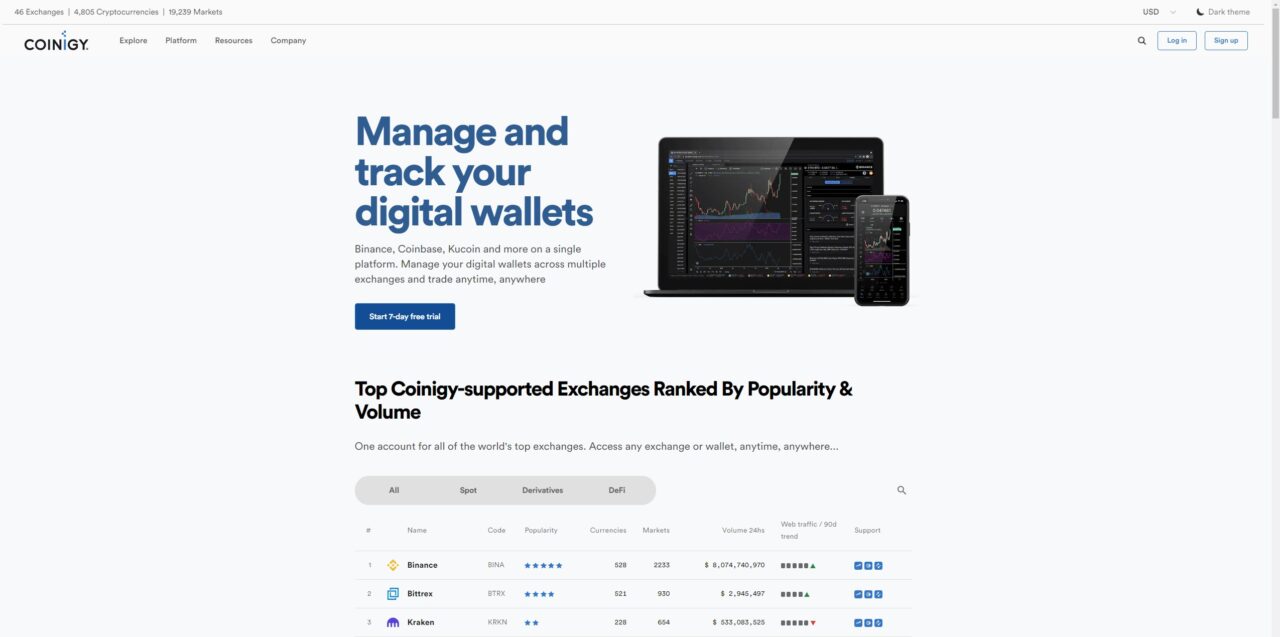
Coinigy is a crypto-only trading terminal. You connect your exchange accounts with API keys and it gives you one screen for charts, order entry, depth views and portfolio tracking across all of them, so you are not cycling through browser tabs to manage positions on three venues. Visit Coinigy to see the current platform.
Coinigy Runs TradingView’s Charting Library
This is the fact that reorders the whole comparison, and almost nobody states it. Coinigy does not maintain a competing charting engine. It embeds TradingView’s, and Coinigy’s own public release notes make that plain: one release logs a charting library upgrade for TradingView, another adds “TradingView Chart as a Board Panel”, and a later one fixes “shortcut/hotkey handling on TradingView charts”.
Practically, the drawing tools, chart types and indicator rendering you get inside Coinigy come from the same codebase you would get on TradingView. What Coinigy adds is the terminal wrapped around those charts: multiple exchange accounts, order entry, depth views, portfolio tracking. What it does not add is a second, better charting engine. So “Coinigy has better crypto charts” is not a real reason to choose it, and if you see that claim in a comparison, the writer has not looked at what the platform is actually rendering.
It also means the workflow transfers. If you already know TradingView’s hotkeys and drawing tools, you will not relearn them inside Coinigy. Learn them once on the source platform and the muscle memory carries over either way.
User Interface and Design
TradingView
TradingView’s interface is the one most traders already know, and it stays usable if all you ever do is chart. The market heatmaps are free as well, which is a fast way to read sector or crypto breadth before you go looking for a setup.
Coinigy
Coinigy’s interface is organized around managing accounts at multiple exchanges from a single app, using a board system you arrange into panels. It is denser than TradingView’s and it is aimed at someone monitoring live positions rather than someone studying a chart.
Charting and Technical Analysis Tools
TradingView
TradingView’s charting is the reference implementation, which is why Coinigy embeds it rather than building its own. You get a deep drawing-tool set, chart types running from standard candles through Renko, Kagi and point-and-figure, a deep built-in indicator set, and a public library of community scripts. You can run multiple chart layouts or stack several symbols on one chart, and there are plenty of free TradingView indicators worth using before you ever pay for a premium indicator.
Coinigy
Coinigy renders those same TradingView charts inside its terminal and layers 75+ technical indicators of its own alongside trading tools such as depth views and a market screener. The advantage is not chart quality, it is that the order ticket sits next to the chart for whichever connected exchange you happen to be looking at.
Market Data and Integration
TradingView provides real-time data and market coverage across bonds, stocks, currencies, commodities, indices, cryptocurrencies, CFDs and futures. You can build your own strategies with Pine Script and test them using TradingView’s backtesting tools, and neither of those has an equivalent on Coinigy.
Coinigy is crypto only, and its reach across venues is the point: one login, API access, volume alerts, and third-party integrations across the exchanges it supports. Coinigy’s own supported-exchange page lists 38 exchanges as of August 2026, which is fewer than the 46 that older write-ups (including an earlier version of this one) repeated. Treat any specific market or currency count you see quoted anywhere as approximate, because Coinigy does not publish a maintained figure for either.
Security and Exchange API Keys
Coinigy’s security model is that you connect exchanges with API keys instead of moving coins onto Coinigy. Set those keys to trade-only and leave withdrawal permission switched off, and the key itself has no permission to withdraw funds from the exchange. That is a genuinely useful property, and it is worth configuring properly rather than pasting in a full-permission key because it was faster.
The tradeoff is surface area. Every exchange you connect is another secret that has to stay secret, and your workflow now depends on both the exchange’s uptime and Coinigy’s. TradingView sidesteps this entirely for analysis, because a chart needs no account access at all. It only becomes a consideration once you connect a broker or exchange to place orders from TradingView.
One thing to check before you subscribe: Coinigy’s public supported-exchange list still includes FTX International, which stopped operating in November 2022. That is a list-maintenance issue rather than a security hole, but it does mean you should confirm your specific exchange is genuinely live and supported rather than trusting the roster at face value.
Mobile Experience
Both platforms ship mobile apps, and they are built for different jobs. TradingView’s is the stronger general-purpose app: stocks, crypto, forex, alerts, and layouts and watchlists that sync across web, desktop and phone. Coinigy’s is narrower on purpose, covering portfolio monitoring and trading on your connected exchanges. If your phone is where you check positions, Coinigy’s app is adequate. If it is where you do real chart work, TradingView’s is not close.
Pricing and Plans
Coinigy publishes three tiers. Starter is free, Pro Trader is $18.66 a month, and API Dev Pro is $99.99 a month, and the trial is 7 days rather than the 30 days that older comparisons still quote. Payment goes through credit card, PayPal, or crypto.
TradingView runs a free Basic tier plus four paid tiers: Essential, Plus, Premium and Ultimate, billed monthly or annually with a discount for annual. TradingView changes its pricing often enough that quoting figures here would age badly, so our TradingView pricing guide carries the current numbers per tier.
The honest read on cost is that comparing the paid tiers head to head is the wrong exercise, because you are buying different things. If you only need charts and alerts, TradingView’s free tier beats paying Coinigy anything at all. If you need multi-exchange order entry from one screen, $18.66 a month is reasonable for what it replaces.
Which Platform Should You Choose?
Choose TradingView if
You trade anything besides crypto. Stocks, futures, forex and indices all sit on the same account and Coinigy has no answer there. You also want TradingView if you write or borrow indicators, because Pine Script and the community script library are the two things Coinigy cannot replicate at any price. Over my years of trading, the platform that holds up longest is the one that grows with the strategy rather than the one tuned tightly to a single asset class.
Choose Coinigy if
Crypto is your whole book and you genuinely trade it across several exchanges. Watching three venues in three browser tabs and placing orders in each is a real daily friction, and one terminal with API-key order entry and no added platform fee removes it. If you trade crypto on a single exchange, that exchange’s own interface plus TradingView’s free tier usually covers you for less than Coinigy costs.
Track The Trades You Take
Financial Tech Wiz Trading Journal
Neither platform tells you whether your setups are actually working. The Financial Tech Wiz Trading Journal logs every entry and exit, then breaks win rate and P&L down by symbol and hold duration, so you can see which pairs are carrying you and which ones you should stop trading. Free to start. Paid plans are $19/month or $119/year.
TradingView vs. Coinigy | Bottom Line
Coinigy and TradingView are not really competing on the same axis. Coinigy is a multi-exchange crypto trading terminal that runs on TradingView’s charts. TradingView is an analysis platform that covers every market and also routes orders through supported brokers.
If you trade more than crypto, or you write indicators, TradingView is the answer and Coinigy is not a substitute for it. If crypto is your whole book and you work several exchanges every day, Coinigy earns its $18.66 a month by collapsing that into one screen, and you can keep using TradingView’s free tier for analysis alongside it. Nothing stops you running both, and for a crypto-only trader that combination often makes more sense than picking one, which is the tell that this was never really an either/or.
FAQ
Does Coinigy use TradingView charts?
Yes. Coinigy embeds the TradingView charting library, and its public release notes reference upgrading that library, adding a TradingView chart as a board panel, and fixing hotkey handling on TradingView charts. The charting you see inside Coinigy comes from TradingView’s codebase.
Which chart is best for crypto trading?
For charting alone, TradingView, and that holds even if you end up on Coinigy, because Coinigy is rendering TradingView’s charts. Where Coinigy wins is having the chart and the order ticket for several exchanges in one place.
How much does Coinigy cost?
Coinigy lists a free Starter tier, Pro Trader at $18.66 a month, and API Dev Pro at $99.99 a month, with a 7-day free trial. Older comparisons still quote a 30-day trial, which is no longer what Coinigy advertises.
Is Coinigy good for beginners?
Not especially. It assumes you already hold accounts at several exchanges and know how to generate API keys, and the board layout is dense before you have configured it. A beginner is better served by one exchange’s own interface plus TradingView’s free tier, and by logging trades from day one with a free trading journal template.
Before you go
If you want to keep digging into charting platforms and crypto trade tracking, these are worth reading next:
- The Best Charting Software for Stocks
- TradingView Real-Time Data Explained
- How to Get a TradingView Free Trial
- Coinbase Trading Journal
Financial Tech Wiz / Free resources
Build a clearer picture of your trading.
Start with a free journal account. Keep your trades organized, review your results, and build a consistent review routine.
Your free journal account includes the template and tools by email:
- Free Google Sheets and Excel trading journal template
- Indicators, watchlists, and scanners
- Access to the free trading community
Ready for automatic trade tracking? Explore the Financial Tech Wiz Trading Journal.
Free journal. No card needed.