
MT4 vs Tradovate: Which Platform Is Right for Futures Traders in 2026?

MT4 and Tradovate are not really competitors; they are built for different asset classes and different types of traders. MT4 is a forex and CFD charting platform developed by MetaQuotes; Tradovate is a cloud-based US futures brokerage that lets you trade contracts directly on the CME. If you are coming from forex and considering US futures, or trying to decide whether to stick with MT4 through a new broker, this comparison will save you time sorting out what actually matters.
Key Takeaways
- MT4 is not a broker; it is a charting and execution platform. You trade forex and CFDs through a broker that plugs into MT4, not through MT4 itself.
- Tradovate is a cloud-based futures brokerage built for US futures (NQ, ES, CL, and other CME contracts). It is now owned by Kraken after Kraken acquired NinjaTrader in May 2025 for $1.5 billion.
- MT4 is in a managed wind-down: MetaQuotes ended support for older builds in July 2025, and MT5 now accounts for 54.2% of combined MetaTrader volume. If you are evaluating MT4 for long-term use, plan for migration.
TRACK YOUR FUTURES TRADES
Financial Tech Wiz Trading Journal
Tradovate is a supported broker. Connect your account and import your futures trade history automatically via SnapTrade. See your equity curve, win rate, and P&L across your futures positions, broken down by symbol and hold duration.
Start Tracking Your Trades$19/month or $9.91/month billed annually.
Can You Use MT4 With Tradovate?
Not natively. MT4 and Tradovate do not share a direct integration.
MT4 connects to brokers through a proprietary server protocol developed by MetaQuotes. Tradovate runs on its own cloud infrastructure and connects to CME Group markets directly. There is no official MetaQuotes plugin or API bridge that links the two.
What some traders do is use a third-party trade copier service to mirror MT4 signals into a Tradovate account. Tools like Copygram and Duplikium can route trade signals from MT4 to Tradovate in near-real time, but these add a layer of complexity and latency that most active futures traders prefer to avoid. They also require a VPS to keep MT4 running continuously.
If you are using MT4 EA (Expert Advisor) strategies and want to run them on US futures through Tradovate, a trade copier is technically possible but not a clean solution. Most traders who go this route eventually migrate their strategies to NinjaScript (NinjaTrader) or directly rebuild their logic using Tradovate’s API.
If you just want to trade futures, the simpler path is to open a Tradovate account and use Tradovate’s built-in charting tools directly. They are web-based, clean, and updated regularly.
MT4 vs MT5 vs Tradovate: What’s Changed in 2026
The MetaTrader picture shifted significantly in 2025 and early 2026. MetaQuotes ended support for older MT4 builds effective July 1, 2025, and as of early 2025, MT5 has officially surpassed MT4 in trading volume across the MetaQuotes ecosystem, accounting for 54.2% of combined MetaTrader platform activity.
This does not mean MT4 is gone. Many forex brokers still offer it, and millions of traders continue to use it. But if you are evaluating MT4 for a long-term setup, the migration toward MT5 is real and accelerating. MT5 supports more asset classes, a different order model (with netting and hedging support for both), and better backtesting infrastructure.
Tradovate occupies a different position entirely. It is not competing with MT4 or MT5 for forex traders. Tradovate was built from the ground up for US futures markets: NQ (Nasdaq futures), ES (S&P 500 futures), CL (crude oil), and other CME Group contracts. NinjaTrader acquired Tradovate in January 2022 and then Kraken acquired NinjaTrader in May 2025 for $1.5 billion, making Tradovate part of one of the largest cryptocurrency exchanges in the world.
What this means practically: Tradovate’s development roadmap and infrastructure are now backed by Kraken-level resources. For US futures traders, Tradovate has become more stable, not less, since the acquisition.
The comparison is really this: if you trade forex or CFDs, you are in the MetaTrader world (MT4 or MT5 depending on your broker). If you trade US futures, Tradovate (or NinjaTrader, TradeStation, or Rithmic-connected platforms) is the right category of tool. They are not substitutes for each other.
What Is MT4?
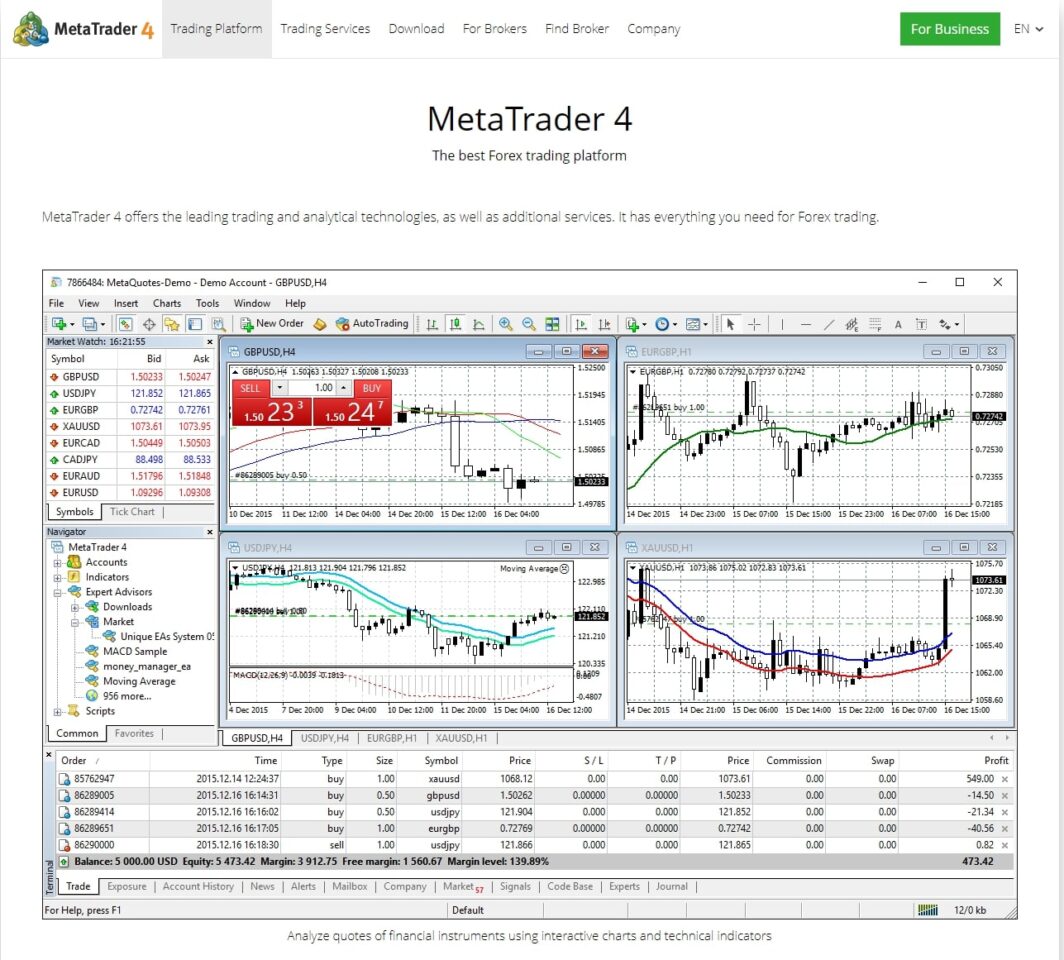
MetaTrader 4 (MT4) is a trading platform developed by MetaQuotes Software Corp. It is one of the most widely used platforms in forex and CFD trading history, prized for its Expert Advisors (EAs), custom indicators, and large third-party ecosystem. MT4 connects to a broker’s servers; the platform itself is not a broker. If you are weighing MT4 against a charting-first platform rather than a futures broker, our MT4 vs TradingView comparison covers that pairing.
MT4 in 2026: What’s Changed
MT4 has entered a managed wind-down phase. MetaQuotes ended support for all MT4 builds older than Build 1440 on July 1, 2025, meaning outdated versions can no longer connect to broker servers. No new features are being added to MT4, and MetaQuotes has not issued new MT4 broker licenses in years.
Importantly, MetaTrader 5 (MT5) surpassed MT4 in trading volume in early 2025, accounting for 54.2% of combined platform volume. For long-term trading, MT5 is clearly the direction the industry is heading.
That said, MT4 is not fully shut down. U.S. traders can still access MT4 through regulated brokers including OANDA, FOREX.com (StoneX), tastyfx (powered by IG), and Trading.com.
Bottom line on MT4: If you’re already using MT4 with a broker you like, you can continue; just ensure you’re on at least Build 1440. If you’re choosing a platform from scratch, consider starting with MT5 instead to avoid migrating later.
MT4 Key Features
- 30 built-in technical indicators and 24 analytical objects
- 9 timeframes for charting
- Expert Advisors (EAs) for automated trading using MQL4
- Large marketplace of third-party indicators and EAs (via MQL5 Market)
- No direct brokerage: you must pair it with a compatible broker
- Available as desktop app, mobile app, and web terminal
What Is Tradovate?
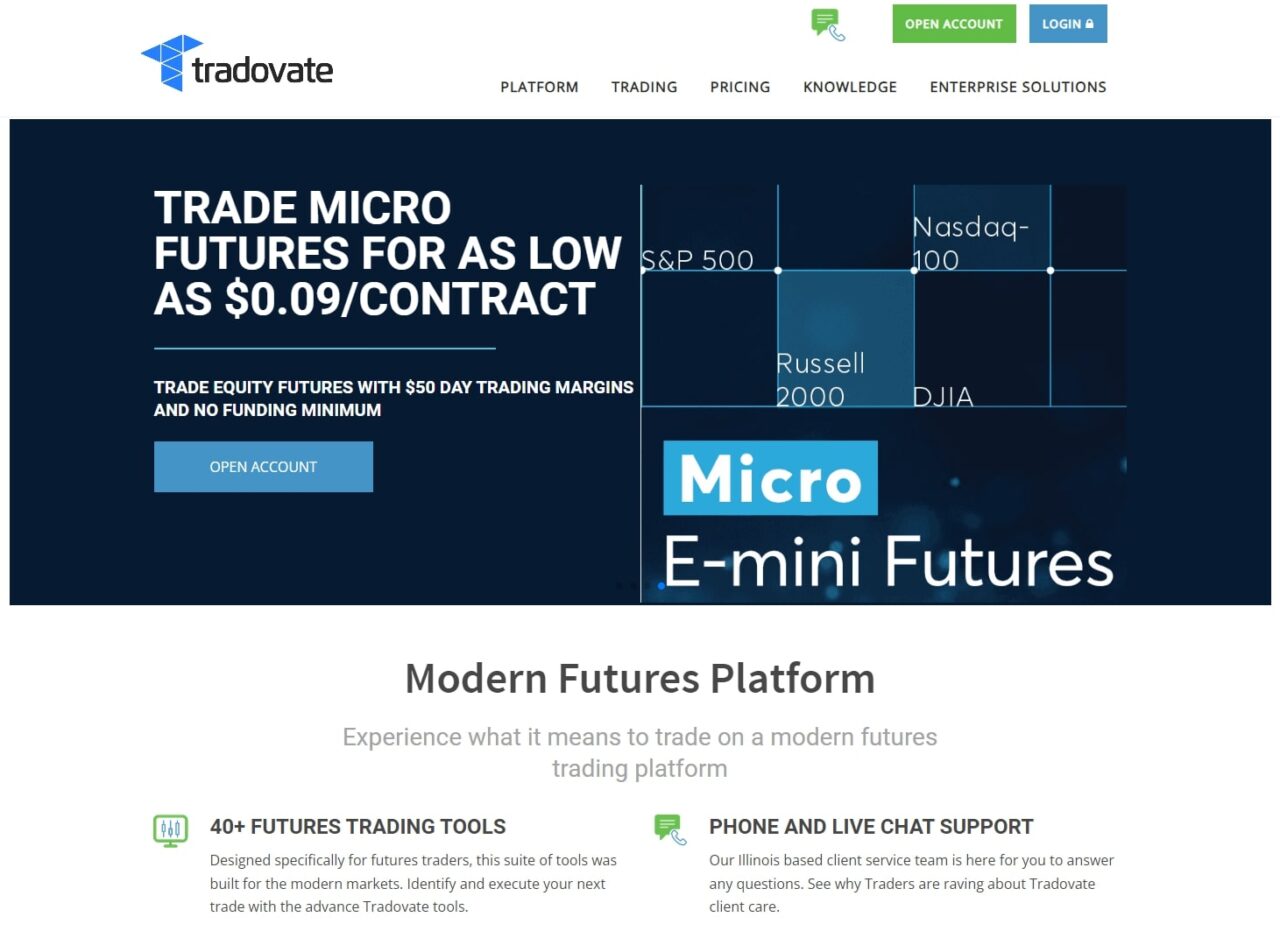
Tradovate is a cloud-based futures trading platform and brokerage built specifically for futures and options on futures. It launched in 2014 and earned a reputation for transparent, low-cost pricing and a modern web-native interface.
Tradovate in 2026: What’s Changed
The Tradovate story has had two major ownership chapters since the platform launched:
- January 2022: NinjaTrader acquired Tradovate for approximately $115 million. This brought Tradovate under NinjaTrader Group’s umbrella, though Tradovate continued to operate as its own brand with its own platform, pricing, and customer base.
- May 2, 2025: Kraken, one of the world’s largest cryptocurrency exchanges, acquired NinjaTrader (and by extension, Tradovate) for $1.5 billion. The acquisition positions Kraken to expand into U.S. futures and traditional financial markets, and gives Tradovate users indirect exposure to Kraken’s global regulatory reach and technology.
For Tradovate users, day-to-day operations remain largely unchanged. Both platforms continue to operate independently under the NinjaTrader Group / Kraken umbrella. However, in October 2025, NinjaTrader Group announced the launch of Tradovate Prop and NinjaTrader Prop, entering the growing prop trading space with integrations to firms like Apex Trader Funding and Take Profit Trader.
Tradovate Key Features
- Cloud-based and browser-accessible: no download required
- Depth of Market (DOM), order flow tools, and volume profile
- Performance analytics and trade history tracking
- Mobile app with charting and order management
- Micro futures trading with low minimum account requirements
- No minimum deposit required for platform access
MT4 vs. Tradovate: Side-by-Side Comparison
| Feature | MT4 | Tradovate |
| Platform Type | Charting platform (no brokerage) | Brokerage + platform |
| Asset Classes | Forex, CFDs | Futures only |
| Cloud-Based? | No (desktop-first) | Yes |
| Automated Trading | Yes (Expert Advisors / MQL4) | Limited |
| Ownership (2026) | MetaQuotes (independent) | Kraken via NinjaTrader Group |
| Monthly Fee | Free (broker provides access) | Free, $99/mo, or $1,499 lifetime |
| Commissions | Spread/commission via broker | $0.09-$1.29/side depending on plan |
| Mobile App | Yes | Yes |
| US Availability | Limited (select regulated brokers) | Yes (CFTC/NFA regulated) |
| Long-Term Outlook | Wind-down phase; MT5 is the future | Active development |
| Prop Trading | No native prop offering | Tradovate Prop launched Oct 2025 |
Futures Commissions: MT4 Broker Fees vs Tradovate’s Flat Rate
Because MT4 is not a broker, the cost structure depends entirely on which broker you connect it to. Most MT4 forex brokers charge through the spread (the difference between bid and ask) plus sometimes a per-trade fee. The total cost varies widely, from 0.5 pips to over 2 pips on major pairs depending on the account type and broker.
Tradovate’s pricing is straightforward by comparison. Traders choose between two structures: a per-contract rate for lower-volume accounts, or an unlimited trading subscription (monthly or annual) for higher-volume traders who want a flat monthly cost regardless of how many contracts they trade. Exchange fees from the CME apply on top of either structure, as they do with any US futures broker.
For traders who are already active in US futures, Tradovate’s pricing is competitive. For traders coming from forex via MT4, the shift to per-contract-plus-exchange-fee pricing for futures is something to model out based on your actual contract volume before committing.
One practical difference: MT4 forex trading often runs 24/5 with no exchange data fees built in the way CME contracts work. Tradovate futures trades incur CME exchange fees, and real-time CME data requires a separate market data subscription if you want full depth of market. Factor both into your cost comparison.
MT4 vs. Tradovate: Pricing
MT4 Pricing
MT4 itself is free: you access it through a broker that supports the platform. There is no subscription fee paid to MetaQuotes directly. Your costs are determined entirely by your broker in the form of spreads, commissions, and swap rates.
U.S. brokers supporting MT4 as of 2026 include OANDA, FOREX.com, and tastyfx. International options remain more numerous.
Tradovate Pricing
Tradovate uses a tiered subscription model. Here’s a breakdown of its plans and commission rates:
| Plan | Monthly Cost | Micro Futures | Standard Futures |
| Free | $0/month | $0.39/side | $1.29/side |
| Monthly | $99/month | $0.09/side | $0.59/side |
| Lifetime | $1,499 one-time | $0.09/side | $0.59/side |
Additional fees apply for real-time market data subscriptions and clearing/exchange fees. There is no minimum deposit to open a Tradovate account.
For high-frequency traders, the Monthly or Lifetime plan pays for itself quickly. Casual traders may prefer the Free plan to keep costs low.
Who Should Use MT4?
MT4 is still a reasonable choice in 2026 if:
- You are trading forex or CFDs and your preferred broker supports it
- You have an existing library of Expert Advisors or custom MQL4 indicators
- You are comfortable with the platform and don’t want to migrate
However, if you are starting fresh, MT5 is a stronger long-term choice: it supports more asset classes (including stocks, futures, and options), has better charting, and is the platform MetaQuotes is actively developing. MT4 will not disappear overnight, but its stagnation means every year the gap widens.
Who Should Use Tradovate?
Tradovate is the better choice if:
- You want to trade futures (ES, NQ, CL, GC, etc.) with low commissions
- You prefer a cloud-based, browser-accessible platform that works without software installation
- You want a modern, clean interface without the complexity of a dedicated desktop platform
- You’re interested in micro futures (low capital requirements)
- You want exposure to the Tradovate Prop ecosystem through top prop firms
It is not a fit for forex-only traders, stock traders, or those who need advanced automation via EAs.
The Big Picture: Two Different Platforms for Two Different Traders
Comparing MT4 and Tradovate is a bit like comparing apples to oranges: one is a forex charting platform bolted onto a broker, and the other is a cloud-native futures brokerage with its own execution infrastructure. The more useful comparison for most traders is:
- MT4 vs. MT5: if you’re a forex trader choosing between MetaTrader versions
- Tradovate vs. NinjaTrader: if you’re a futures trader choosing between platforms under the same parent company
- MT4 vs. TradingView: if you’re looking for a more modern charting alternative
That said, if you’re a futures trader who used MT4 with a broker that offered some futures exposure, Tradovate is worth a serious look as a dedicated, low-cost futures platform that’s now backed by Kraken’s $1.5B investment in NinjaTrader.
Prop Firm Compatibility: MT4 EAs vs Tradovate
Prop firm compatibility is one of the most practical questions for traders considering either platform in 2026.
US futures prop firms like Apex Trader Funding, TopStep, and Tradeify operate on Rithmic or Tradovate infrastructure. These firms are specifically designed for futures, and Tradovate-based accounts integrate directly with their evaluation systems. If you are pursuing a futures prop firm evaluation, Tradovate is a native fit.
MT4 Expert Advisors (automated trading scripts) are a different story. Most US futures prop firms do not accept MT4 EA strategies for their evaluations. The firms are built around Rithmic or CQG connectivity, not MetaQuotes protocols. Running an MT4 EA via a trade copier bridge into a futures prop account introduces execution risk, latency, and potential rule violations depending on the firm’s automation policy.
If you want to trade futures, including through a prop firm evaluation, Tradovate is the cleaner, more direct option. If you trade forex strategies using MT4 EAs and are not switching asset classes, MT4 (or MT5 for a longer runway) remains the right tool. These two platforms serve fundamentally different trading ecosystems, and the prop firm landscape reflects that clearly.
For a full breakdown of how these firms evaluate traders and which platforms they support, see our best futures prop firms comparison.
Who Should Switch from MT4 to Tradovate?
The honest answer: most forex traders should not “switch” from MT4 to Tradovate, because Tradovate does not support forex trading. The question is really about whether you want to move from forex to US futures.
Consider Tradovate if:
- You are shifting from forex or CFD trading to US futures (NQ, ES, CL, MES, MNQ, or other CME contracts)
- You want to pursue a futures prop firm evaluation with Apex Trader Funding, TopStep, or Tradeify
- You prefer a cloud-based, browser-accessible platform over a desktop-dependent charting tool
- You want a direct brokerage relationship with clear per-contract or subscription pricing
Stay on MT4 (or migrate to MT5) if:
- You trade forex or CFDs and your broker only supports MetaTrader
- You have existing MT4 EA strategies that generate consistent results in forex
- Your broker offers better execution through MetaQuotes connectivity than available alternatives
- You are not ready to take on the learning curve of futures market structure (margin, tick size, expiration dates)
If you are genuinely undecided about asset class, the structural difference that tends to matter most for active traders is this: US futures have standardized contract specs, centralized exchange pricing through the CME, and greater transparency on execution. Forex is decentralized, with pricing that varies by broker. Neither is inherently better; they suit different risk profiles and strategies.
For additional context on how Tradovate stacks up against other futures platforms, see our TradeStation vs Tradovate comparison and NinjaTrader vs Tradovate breakdown.
FREE RESOURCE
Free Trading Journal Template
Not ready for a full journaling app? Start with our free Google Sheets trading journal. Log your futures trades, track P&L, and build the habit before you need more advanced analytics.
Get the Free TemplateFinal Verdict
Choose MT4 if: You’re already forex-focused, have an existing EA library, and your broker supports it. Just make sure you’re on Build 1440 or higher and understand that MT5 is the long-term successor.
Choose Tradovate if: You want to trade futures with low commissions, a clean cloud-based interface, and don’t need the automation depth of NinjaTrader. The Kraken/NinjaTrader backing gives it strong institutional support going forward.
Related Trading Platform Comparisons
Interactive Brokers vs. thinkorswim
FAQ
Can you connect MT4 to Tradovate?
Not directly. MT4 and Tradovate do not share a native integration. MT4 connects to brokers through MetaQuotes’ proprietary server protocol; Tradovate runs on its own cloud infrastructure connected to CME Group markets. Third-party trade copier tools (such as Copygram or Duplikium) can mirror signals from MT4 into a Tradovate account, but this adds latency and complexity that most active traders prefer to avoid.
Do traders still use MT4 in 2026?
Yes, many traders still use MT4, primarily for forex and CFD trading. However, MetaQuotes ended support for older MT4 builds effective July 1, 2025, and MT5 has surpassed MT4 in total trading volume across the MetaQuotes platform network. If you are evaluating MT4 for a new setup, plan for an eventual migration to MT5 as broker support for MT4 continues to narrow.
What is Tradovate used for?
Tradovate is a cloud-based US futures brokerage and trading platform built for CME Group markets. Traders use it to trade index futures (NQ, ES, MES, MNQ), commodity futures (CL, GC), and other standardized futures contracts. Tradovate is also widely used as the platform of record for prop firm evaluations with firms like Apex Trader Funding, TopStep, and Tradeify.
Get Your Free Trading Resources
Grab the free trading journal template plus the same tools we use to stay organized, consistent, and objective.
- Free trading journal template
- Custom indicators, watchlists, and scanners
- Access our free trading community
Enter your email below to get instant access.
No spam. Unsubscribe anytime.







